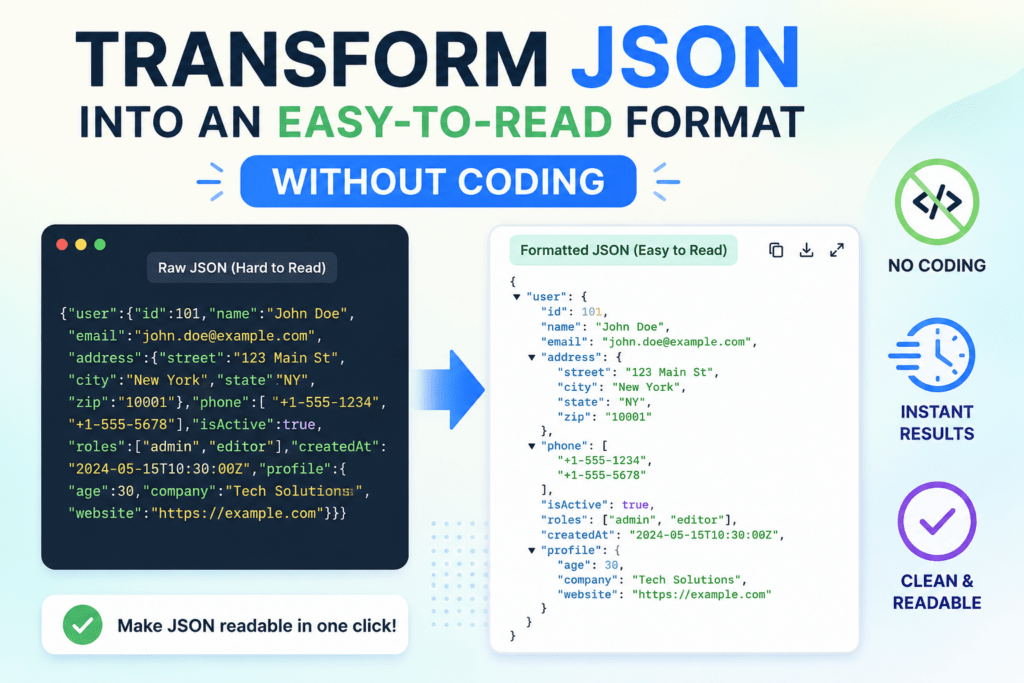

JSON (JavaScript Object Notation) is a widely used file format for storing and sharing structured data across applications, APIs, databases, and web services. However, raw JSON files can look complex and difficult to understand for non-technical users because of their coding structure, brackets, and nested values.
Many users want simple ways to convert JSON into easy-to-read formats like PDF, CSV, Excel, TXT, or HTML without any coding knowledge. In this article, you will learn easy non-technical methods to convert JSON file into readable format, along with their benefits, limitations, and the best professional solution for smooth conversion. Now, let’s begin.
Why JSON Files Are Difficult to Read?
JSON files are mainly designed for applications and data exchange, not for human readability. Due to their technical structure, nested values, and raw text formatting, many users find JSON files difficult to read and manage, especially when dealing with large or complex data. Here are some common reasons to transform JSON into easy-to-read format without coding:
- Complex brackets, commas, and coding syntax
- Nested objects and arrays make data confusing
- Large JSON files appear cluttered and unorganized
- Difficult to identify important information quickly
- Not suitable for printing or presentation purposes
- Manual editing can easily break the file structure
- Raw JSON lacks proper formatting for readability
Because of these challenges, many users prefer converting JSON files into simpler and more readable formats like PDF, Excel, CSV, or TXT for easier viewing and data management. Now, let’s move down to discuss all possible methods.
How to Transform JSON into Easy-to-Read Format Without Coding? Overview
JSON files are useful for storing structured data, but their technical format can be hard to understand for regular users. Complex brackets, nested values, and large datasets often make JSON data files difficult to read manually. Converting JSON into readable formats like PDF, Excel, CSV, or TXT makes the data simpler, organized, and easier to analyze.
It allows users to access and share information conveniently without requiring any coding skills. So, in this section, we will discover 3 best methods to transform JSON into easy-to-read file format without coding. Now, let’s discuss each method in a detailed manner.
#1 Use Text Editors
Advanced text editors like Notepad++ or Visual Studio Code offer built-in formatting features to beautify JSON files. Follow the instructions mentioned below:
- Open the JSON file in a text editor.
- Install a JSON formatter plugin (if required).
- Select the format/beautify option.
- Save the formatted file.
PROS:
- Suitable for technical users.
- It works completely offline.
- It is free to use.
CONS:
- Not beginner-friendly
- Limited support for very large files
- Requires technical knowledge
#2 Transform JSON into Easy-to-Read Format Without Coding Using Expert Utility
Many users belong from non-tech background and are not aware of coding languages. So for those users, SysTools JSON File Converter tool stands out as an ideal choice to convert complex and nested structure files into human-readable file formats like PDF, CSV, TXT, MDB, DOC, and more. Using this pro utility, both technical and non-technical users can perform conversion tasks smoothly without writing a single line of code.
Moreover, the tool offers advanced features that help users to transform data into more accessible formats with just a few clicks. It maintains original file formatting during conversion and represents output into an easy-to-understand format by which users can edit, analyse, view, and read data easily. Now, follow the steps given below to use this software:
- Download and run the above-mentioned tool.
- Browse and upload JSON file.
- Choose PDF as a readable file format.
- Click on the Export button.
- Lastly, tap on View Report to vuew Output file.
Key Features of Using Advanced Software
- Handle both complex and deeply nested JSON files.
- Support bulk conversion to handle multiple files.
- It is an offline solution that does not require an internet connection.
- It is no-code-based, in which no technical expertise is needed.
- Safe and secure method with 100& success rate.
#3 Use Online Tools
Online JSON formatter tools are quick and convenient solutions for converting JSON data into a readable format without installing any software. Follow the steps:
- Open any reliable online JSON formatter website.
- Copy and paste your JSON data into the input field.
- Click on the Format/Beautify button.
- Download or copy the formatted output.
PROS:
- Free and easy to use
- No installation required
- Instant formatting
CONS:
- Not suitable for large JSON files
- Data privacy concerns
- Requires an internet connection
Best Tips for Making JSON File Readable
- Use proper formatting and indentation
- Convert JSON into table-based formats like CSV or Excel
- Use JSON viewer or formatter tools
- Remove unnecessary nested data if possible
- Export JSON into PDF or TXT for better readability
- Avoid manually editing large JSON files
- Use professional JSON converter software for complex files
Time to Wrap Up!
In the above guide, we have shared 3 different ways on how to transform JSON into easy-to-read format without coding. All methods provide results, but free or manual methods always come with some limitations that can be error-prone. That’s why we recommend you choose a professional solution to convert JSON to PDF readable file format with ease and streamline the workflow. Now, it’s your choice to choose the method that best fits your requirements.