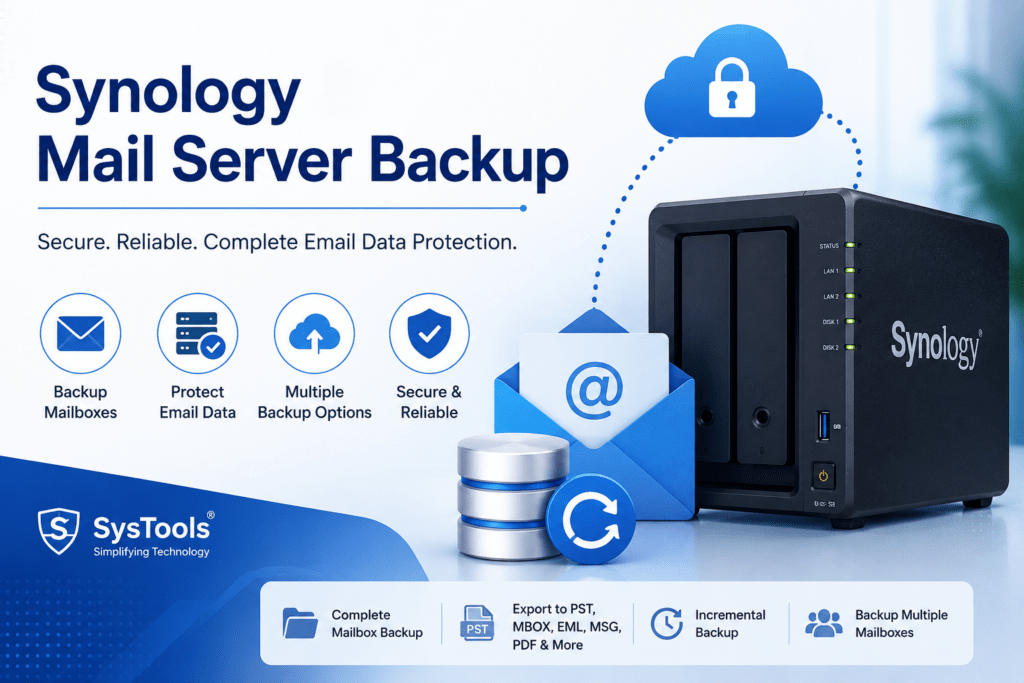

Email remains one of the most critical communication channels for businesses and organizations. Companies using Synology Mail Server or Synology MailPlus Server often rely on their NAS infrastructure to manage email communications, store messages, and maintain business continuity. However, email data is vulnerable to accidental deletion, hardware failures, ransomware attacks, system corruption, and human errors. Without a reliable backup strategy, organizations risk losing valuable business information.
This guide explains the importance of Synology Mail Server backup, available backup methods, best practices, and how to ensure quick recovery when disaster strikes.
Why Synology Mail Server Backup Is Important
Email servers store essential business data, including:
-
Customer communications
-
Contracts and agreements
-
Internal discussions
-
Project documentation
-
Financial records
-
Compliance-related correspondence
A proper backup solution helps organizations:
-
Recover accidentally deleted emails
-
Protect against hardware failures
-
Minimize downtime during disasters
-
Meet regulatory compliance requirements
-
Defend against ransomware attacks
-
Ensure business continuity
Even with RAID protection on a Synology NAS, backups are still necessary because RAID only protects against disk failure, not accidental deletions, malware, or data corruption.
Understanding Synology Mail Server and MailPlus Server
Synology offers two primary email solutions:
Synology Mail Server
Synology Mail Server provides SMTP, POP3, and IMAP services, allowing businesses to host and manage their own email infrastructure.
Synology MailPlus Server
MailPlus Server is Synology’s advanced enterprise email platform that includes:
-
Webmail access
-
High-availability support
-
Advanced security features
-
Mobile compatibility
-
Enhanced administration tools
Both solutions store valuable email data that requires consistent backup and recovery planning.
What Data Should Be Backed Up?
A complete Synology Mail Server backup should include:
Email Messages
All user mailboxes, folders, attachments, and archived emails.
User Accounts
User settings, permissions, and mailbox configurations.
Mail Server Configuration
SMTP settings, domain configurations, spam filtering rules, and security policies.
Logs and Metadata
System logs and email metadata useful for troubleshooting and compliance audits.
Shared Resources
Calendars, contacts, and shared mailboxes if using MailPlus Server.
Backup Methods for Synology Mail Server
1. Hyper Backup
Hyper Backup is Synology’s native backup solution and one of the most popular methods for protecting Mail Server data.
Benefits
-
Automated scheduled backups
-
Incremental backup technology
-
Versioning support
-
Encryption capabilities
-
Multiple destination options
Backup Destinations
Hyper Backup can store backups on:
-
External USB drives
-
Another Synology NAS
-
Remote rsync servers
-
Public cloud storage services
-
Local shared folders
Recommended Configuration
-
Daily incremental backups
-
Weekly full backup retention
-
Encryption enabled
-
Backup integrity checks scheduled regularly
2. Snapshot Replication
Snapshot Replication provides near-instant recovery capabilities.
Advantages
-
Fast recovery times
-
Minimal storage consumption
-
Protection against accidental deletions
-
Ransomware recovery support
Snapshots capture point-in-time copies of mailbox data and server configurations, making them ideal for rapid restoration.
3. Active Backup Solutions
Organizations running virtualized Synology environments can use Active Backup tools to protect entire systems hosting mail services.
Benefits include:
-
Bare-metal recovery
-
Centralized backup management
-
Application-consistent backups
-
Reduced downtime
4. Cloud Backup
Cloud backups add an additional layer of protection by storing data offsite.
Popular approaches include:
-
Synology C2 Storage
-
Amazon S3-compatible storage
-
Microsoft Azure
-
Google Cloud Storage
Cloud backups protect against:
-
Physical disasters
-
Theft
-
Fire damage
-
Site-wide outages
Direct Solution to Backup Synology Mail Server
SysTools Synology Backup Software provides a direct and efficient way to back up Synology Mail Server mailboxes without depending solely on NAS-level backup methods. The software connects to Synology Mail Server through IMAP protocols and allows administrators to export mailbox data, including emails, attachments, and folders, while preserving the original folder hierarchy and email properties. Users can save mailbox data in multiple formats such as PST, MBOX, EML, MSG, and PDF, making it easier to archive, migrate, or access email data whenever required.
Additionally, the software offers advanced capabilities such as incremental backup, multi-mailbox backup, date-based filtering, and centralized backup management. After the initial backup, only newly received emails are downloaded, reducing backup time and storage consumption. Organizations can also back up multiple Synology mail accounts simultaneously and generate detailed backup reports for monitoring and compliance purposes. These features make SysTools a practical solution for businesses seeking secure, scalable, and mailbox-level protection for their Synology Mail Server environment.
Best Practices for Synology Mail Server Backup
Follow the 3-2-1 Backup Rule
Maintain:
-
3 copies of data
-
2 different storage media
-
1 offsite copy
This approach significantly reduces the risk of total data loss.
Schedule Frequent Backups
Email systems change constantly. Daily backups may not be sufficient for some businesses.
Consider:
-
Hourly snapshots
-
Daily incremental backups
-
Weekly full backups
-
Monthly archive backups
Encrypt Backup Data
Email often contains sensitive information. Enable encryption for both stored backups and data in transit.
Test Recovery Procedures
A backup is only useful if it can be restored successfully.
Regularly test:
-
Mailbox restoration
-
Full server recovery
-
Configuration restoration
-
Disaster recovery workflows
Monitor Backup Jobs
Set up notifications to alert administrators when:
-
Backups fail
-
Storage capacity is low
-
Backup integrity checks detect issues
How to Restore Synology Mail Server Data
Individual Mailbox Recovery
When a user accidentally deletes emails:
-
Locate the desired backup version.
-
Browse mailbox contents.
-
Restore specific emails or folders.
-
Verify mailbox integrity.
Full Mail Server Recovery
In the event of major system failure:
-
Reinstall the Synology Mail Server application.
-
Restore configuration files.
-
Recover mailbox databases.
-
Verify domain and SMTP settings.
-
Test email sending and receiving functionality.
Snapshot-Based Recovery
For recent incidents:
-
Select the appropriate snapshot.
-
Roll back affected folders.
-
Restore data within minutes.
-
Validate mailbox consistency.
Common Challenges and Solutions
Large Mailbox Sizes
Large mailboxes increase backup times and storage requirements.
Solution:
-
Implement retention policies
-
Archive old emails
-
Use incremental backups
Limited Storage Capacity
Backup storage can grow quickly.
Solution:
-
Configure retention schedules
-
Deduplicate data where possible
-
Utilize cloud storage for long-term retention
Compliance Requirements
Many industries require email retention for several years.
Solution:
-
Implement immutable backup storage
-
Maintain detailed audit logs
-
Follow industry-specific retention policies
Security Considerations
To secure Synology Mail Server backups:
-
Enable multi-factor authentication
-
Restrict backup access permissions
-
Use encrypted backup repositories
-
Keep DSM and mail applications updated
-
Monitor for suspicious activity
-
Implement ransomware protection measures
A secure backup strategy should protect both production email data and backup repositories.
Conclusion
Synology Mail Server and MailPlus Server provide powerful self-hosted email solutions, but protecting email data requires a well-planned backup strategy. By combining Hyper Backup, Snapshot Replication, cloud storage, and regular recovery testing, organizations can minimize the risk of data loss and ensure business continuity.
The most effective approach is to implement a layered backup strategy that includes local backups, offsite storage, encryption, and routine recovery testing. With the right backup plan in place, businesses can confidently protect their critical email communications against unexpected disruptions.
for more click here