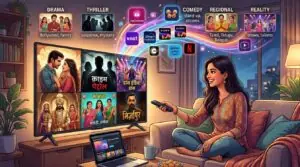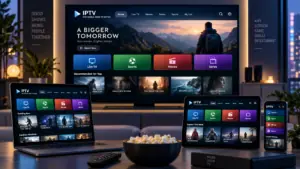


A television application does not always show the same programmes, recommendations, or available features on every device. Someone watching through a smart TV might see a different homepage from another household member using a smartphone, even when both are signed into the same service. These differences can be confusing, particularly when users expect their subscriptions and viewing options to remain consistent.
Several factors can explain why this happens. Device compatibility, regional content rights, account profiles, software versions, and application settings can all influence what appears on a screen. Understanding these factors helps viewers distinguish between normal platform behaviour and problems that may require troubleshooting.
How Devices Influence Television Content
Television applications are designed to work across different types of hardware, including smart TVs, streaming boxes, smartphones, tablets, and computers. Although the same service may be available on each device, its interface and supported features are not necessarily identical.
For example, a smart TV application may organise live channels and on-demand programmes differently from its mobile version. A phone interface is designed for a smaller touchscreen, while a television application usually prioritises remote-control navigation and larger menus. Some functions may also be unavailable on older devices because their hardware or operating systems cannot support them.
These differences affect how content display works across connected screens. Internet television services must account for different screen sizes, device capabilities, and playback environments when presenting programmes and streaming options. As a result, two devices can access the same service without showing an identical layout or selection.
Account Profiles Can Change What Users See
One of the most common reasons for different content selections is the account profile being used. Many streaming platforms allow several profiles under one subscription, giving each user separate recommendations and viewing preferences.
Personalised Recommendations
Recommendation systems use information such as viewing history, saved programmes, search activity, and previously selected genres. If one person regularly watches documentaries while another prefers sports, their homepages may feature different suggestions.
This does not necessarily mean that either account has access to a different subscription. The platform may simply be adapting its recommendations to the activity associated with each profile.
Children’s Profiles and Content Restrictions
Child profiles can also affect which programmes appear. Parental controls may hide content above a selected age rating or restrict access to certain categories. An adult profile could therefore show programmes that do not appear when the same service is opened through a child’s profile.
Users should check the active profile before assuming that a programme has been removed from the service.
Regional Licensing Can Affect Content Availability
Streaming catalogues are not always identical across countries. Television programmes, films, and live broadcasts may be subject to licensing agreements that define where and when a provider can distribute them.
For example, a programme available to a subscriber in Sweden may not be included in the catalogue offered in another country. A service can also have different rights for live broadcasts and on-demand viewing.
Location-related differences may arise when a device connects through a different network or when a user travels abroad. Some platforms use account location, network information, or other verification methods to determine which catalogue should be available.
This is why viewers should not assume that every programme advertised by an international streaming service will be accessible in every region. Availability depends on the provider’s rights and applicable distribution arrangements.
Software Versions and Device Compatibility
Applications receive updates to improve security, fix problems, and introduce new features. However, updates are not always released simultaneously for every device.
A streaming application on a newer smart TV may have features that are not available on an older television. Similarly, a mobile version may receive a redesigned interface before the equivalent update reaches connected TV devices.
Older Operating Systems
Some devices stop receiving operating system updates after several years. When this happens, application developers may eventually reduce support for older software versions.
Users might notice that certain categories disappear, menus become less responsive, or an application no longer supports particular playback features. In some cases, the issue is related to device compatibility rather than the streaming subscription itself.
Different App Versions
Even when two devices support the same application, they may be running different versions. This can lead to differences in navigation, playback controls, search options, and available features.
Checking for updates on both devices can help establish whether they are running comparable versions. However, some differences may remain because the provider deliberately designs separate interfaces for televisions and mobile devices.
Network Conditions and Streaming Settings
Internet connectivity can also influence the content and playback options shown by an application. Services may adjust video quality according to available bandwidth, device performance, and network stability.
A television connected through a weak wireless signal might experience lower playback quality than a smartphone using a stronger connection. Some applications also offer different download, subtitle, or streaming-quality settings depending on the device.
It is useful to distinguish between a difference in available programmes and a difference in how a programme plays. Network conditions are more likely to affect loading speed, picture quality, and buffering than the underlying catalogue.
When playback differs between devices, users can try the following checks:
-
Compare both devices using the same internet connection.
-
Check whether the application offers different video-quality settings.
-
Restart the affected device and application.
-
Review available application and operating system updates.
-
Test another programme to see whether the issue affects all content.
These steps can help determine whether the problem comes from the network, the device, or the application.
How to Troubleshoot Different Content Across Devices
A systematic comparison is more useful than immediately reinstalling applications or changing account settings. Start by confirming that both devices use the same account and profile. Then check whether the programme is available in the relevant region and subscription plan.
Next, compare the application versions and device settings. If one device has outdated software, installing an available update may resolve certain inconsistencies. Signing out and signing in again can also refresh account information, although users should make sure they know their login details first.
If a specific programme remains unavailable on one device, consult the service’s help information or contact its support team. The provider may be able to clarify whether the difference is caused by licensing, compatibility, or an account restriction.
Conclusion
Television applications can show different content across devices for several reasons, including personalised profiles, regional licensing, software differences, hardware limitations, and playback settings. Not every variation indicates a technical fault or a problem with a subscription.
By checking account profiles, comparing application versions, reviewing regional availability, and testing network conditions, viewers can better understand why their screens differ. Knowing how these factors interact makes multi-device television use easier to manage and helps households get more consistent access to the services they use.