

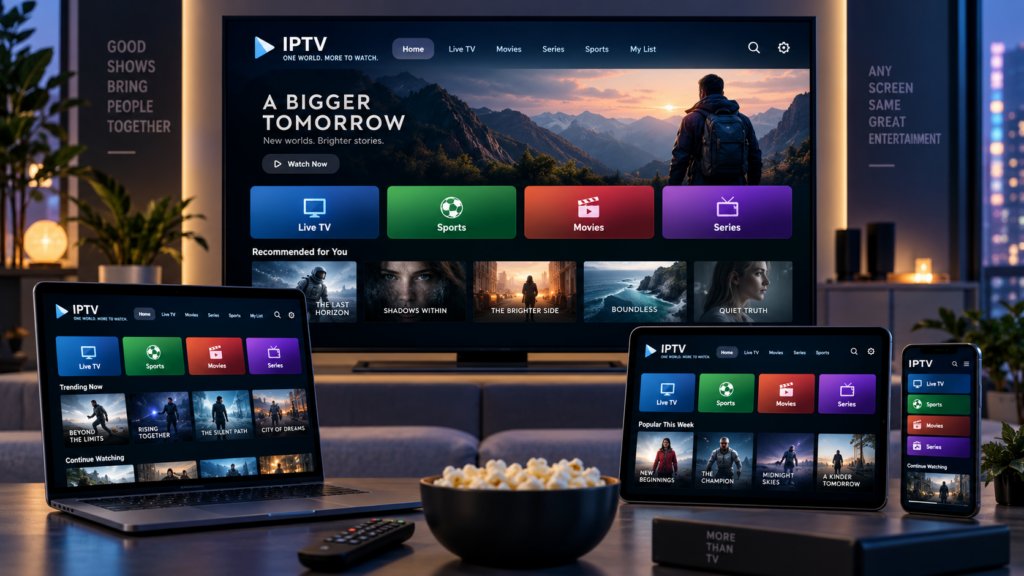

Internet television has made it possible to watch programmes, films, and live broadcasts through connected devices. Viewers can access content on smart TVs, computers, tablets, and smartphones, often with the option to choose different picture quality settings. However, not every device or internet connection handles video in the same way.
One important factor behind the viewing experience is resolution. It determines how much visual detail a video can display and influences the amount of data required for playback. Understanding how internet television handles different resolutions can help viewers make better choices about picture quality, internet usage, and device compatibility.
What Does Video Resolution Mean?
Video resolution refers to the number of pixels used to create each frame of a video. A pixel is a small visual element that contributes to the complete picture. Generally, a higher pixel count allows a video to display finer details, provided the screen and source material support that quality.
When comparing video resolution across streaming formats, viewers commonly encounter terms such as HD, Full HD, and 4K. These labels describe different levels of image detail, although the final picture also depends on compression, bitrate, display capabilities, and the quality of the original recording.
For example, Full HD commonly uses a resolution of 1920 × 1080 pixels, while 4K UHD typically uses 3840 × 2160 pixels. A 4K image contains four times as many pixels as a Full HD image, but this does not automatically mean that every viewer will notice an equally large improvement.
Common Video Resolutions Used in Internet Television
Internet television services may provide several resolution options depending on the content, platform, and device.
Standard Definition (SD)
Standard Definition uses fewer pixels than modern HD formats. It generally requires less bandwidth and may be useful when internet connectivity is limited or when viewing on smaller screens.
High Definition (HD)
HD commonly refers to 1280 × 720 pixels. It offers more detail than standard definition and can provide a suitable viewing experience on many screens.
Full High Definition (Full HD)
Full HD uses 1920 × 1080 pixels. It is widely supported by televisions, laptops, and streaming devices, offering a balance between image detail and bandwidth requirements.
Ultra High Definition (4K)
4K UHD typically uses 3840 × 2160 pixels. It provides considerably more image detail than Full HD and is particularly useful on larger compatible displays. However, it also requires suitable source content, playback hardware, and sufficient network capacity.
How Internet Television Selects Picture Quality
Many internet television platforms use adaptive bitrate streaming to adjust video quality according to changing network conditions. Instead of sending one fixed-quality stream, the platform makes several versions of the same content available at different bitrates and resolutions.
The playback application monitors factors such as available bandwidth and buffering conditions. It can then select an appropriate version of the video. If the connection becomes weaker, the application may switch to a lower-quality stream to reduce interruptions. When network conditions improve, it may move back to a higher-quality version.
This process helps maintain continuous playback without requiring viewers to manually change settings every time the internet connection fluctuates.
Why Internet Speed Affects Video Quality
Higher-resolution video generally requires more data than lower-resolution video. This is because larger images contain more visual information, although compression techniques can significantly influence the amount of data transmitted.
When available bandwidth is insufficient, a streaming application may reduce the bitrate or resolution. This can result in a softer picture, visible compression, or temporary buffering.
Internet speed is not the only factor involved. Network congestion, wireless interference, server performance, and other connected devices can also affect playback. A household streaming several videos while downloading large files may experience reduced performance even if its broadband package advertises high speeds.
For a more reliable experience, viewers should consider both the advertised connection speed and the actual performance available at the device.
The Importance of Video Compression
Video compression reduces the amount of data needed to store and transmit moving images. Without compression, high-resolution video would require substantially more storage and network capacity.
Modern codecs such as H.264, H.265 (HEVC), and AV1 use different techniques to reduce file sizes while preserving as much visual information as possible. Their efficiency can influence how smoothly a platform delivers HD and 4K content.
However, codec support varies between devices. An older television may not support a newer format, while a compatible streaming device may offer additional playback options. The platform must therefore consider both the video format and the capabilities of the receiving device.
How Screen Size and Viewing Distance Influence Resolution
Higher resolution is not equally noticeable on every display. Screen size and viewing distance influence how much detail the human eye can distinguish.
A 4K video may look noticeably sharper on a large television when viewed from a suitable distance. On a smaller smartphone screen, the difference between Full HD and 4K may be less apparent during ordinary viewing.
Display quality also matters. Panel technology, brightness, contrast, colour reproduction, and image processing all contribute to the overall picture. Resolution is only one part of visual quality, so choosing the highest available setting does not always produce the best practical result.
Choosing the Right Resolution for Different Situations
The most suitable resolution depends on the viewer’s device, internet connection, and preferences.
-
Small mobile screens: HD or Full HD may provide sufficient detail for everyday viewing.
-
Standard televisions: Full HD can offer a balanced picture without excessive bandwidth requirements.
-
Large 4K televisions: Native 4K content can make better use of the screen’s available detail.
-
Limited internet connections: Lower resolutions can reduce data usage and help avoid interruptions.
-
Shared household networks: Adaptive streaming can help balance picture quality with changing network demand.
Viewers should also remember that selecting a resolution manually may prevent an application from adjusting quality automatically. Leaving adaptive settings enabled can be useful when network conditions change throughout the day.
Conclusion
Internet television handles different video resolutions through a combination of encoding, compression, device compatibility, and adaptive streaming technology. These systems help deliver suitable picture quality across different screens and internet connections.
Understanding the relationship between resolution, bitrate, bandwidth, and display size makes it easier to choose practical viewing settings. Rather than always selecting the highest available resolution, viewers should consider the capabilities of their devices and the reliability of their internet connection. This approach can help create a clearer and more consistent television experience.