

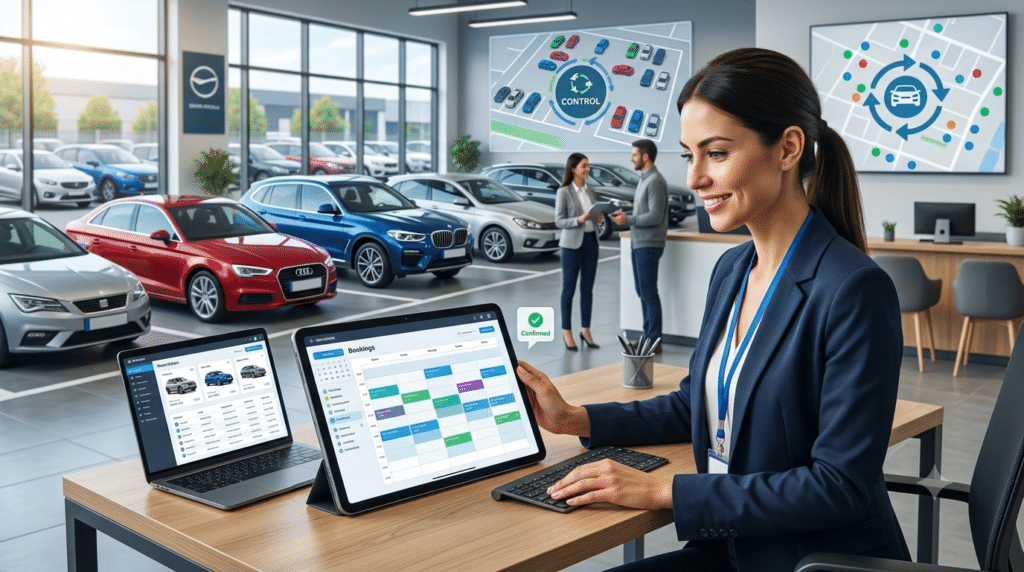

Managing a fleet is not just about keeping track of vehicles. It involves handling bookings, monitoring vehicle availability, managing maintenance, tracking expenses, organising drivers and making sure everything runs smoothly.
For Australian businesses with growing fleets, these tasks can quickly become difficult to manage manually. Spreadsheets, paperwork and multiple disconnected systems may work when you have only a few vehicles, but as your fleet grows, keeping everything organised becomes a challenge.
This is where fleet management software can make a real difference.
But with so many options available, how do you choose the best fleet management software in Australia? The right solution should fit your business requirements, simplify everyday tasks and help you manage your vehicles without adding unnecessary complexity.
Let’s look at what you should consider before making a decision.
1. Understand Your Fleet Management Requirements
Before comparing different software options, take a step back and understand what your business actually needs.
Not every fleet operates in the same way. A vehicle rental business may need booking management and rental agreements, while a transport company might focus more on vehicle tracking, driver management and maintenance.
Start by identifying the challenges you currently face.
For example:
- Are you struggling to keep track of vehicle availability?
- Do you manage bookings manually?
- Is vehicle maintenance difficult to monitor?
- Are rental agreements and invoices taking too much time?
- Do you find it difficult to track operating expenses?
- Are you managing multiple vehicles across different locations?
Once you understand these requirements, it becomes easier to shortlist software that addresses your actual problems rather than paying for features you may never use.
2. Look for Complete Vehicle Management Features
One of the biggest mistakes businesses make is choosing software based on just one feature.
A vehicle tracking system may help you monitor vehicle locations, but it might not support bookings, rental agreements, payments or maintenance management.
If you want to manage your fleet efficiently, look for a solution that brings essential operations together.
Some important features include:
- Vehicle Management: Maintain vehicle records, registration details, insurance information and other important documents.
- Booking Management: Manage reservations, vehicle availability, booking schedules and customer details.
- Maintenance Tracking: Monitor servicing, repairs, inspections and upcoming maintenance requirements.
- Driver Management: Maintain driver details, licence information and relevant records.
- Rental Agreements: Create and manage digital agreements without relying on excessive paperwork.
- Payment and Invoice Management: Track payments, generate invoices and manage outstanding amounts.
- Reporting and Analytics: Get a clearer picture of fleet performance, expenses and business activity.
Choosing an all-in-one fleet management solution can reduce the need to switch between multiple tools throughout the day.
3. Check Whether It Supports Your Business Type
Fleet management requirements can vary significantly depending on your industry.
For example, a car rental company needs a different set of tools compared with a delivery business or a company managing its own commercial vehicles.
Before choosing software, check whether it supports your business model.
Consider whether you operate:
- A car or vehicle rental business.
- A commercial vehicle fleet.
- A short-term or long-term rental service.
- A rent-to-own vehicle business.
- A transport or logistics operation.
- A business with vehicles across multiple locations.
If you operate a rental fleet, prioritise features such as booking schedules, vehicle availability, customer management, rental agreements, payment tracking and vehicle inspections.
The software should adapt to the way your business operates, not force you to change your entire workflow.
4. Prioritise Automation Over Manual Work
How much time does your team spend on repetitive administrative tasks?
Creating invoices, sending booking confirmations, following up on payments and checking vehicle availability can take up a significant part of the working day.
Good fleet management software should help automate these processes.
Look for features such as:
- Automated booking notifications.
- Invoice generation.
- Payment reminders.
- Vehicle maintenance alerts.
- Registration and insurance renewal reminders.
- Digital rental agreements.
- Automated customer communication.
AI-powered features can also make a difference. For example, an AI chatbot can respond to customer enquiries, check vehicle availability and pricing, and help customers complete bookings directly through your website.
The goal is simple: spend less time on repetitive tasks and more time running your business.
5. Make Sure It Offers Easy Booking and Vehicle Availability Management
For rental and fleet businesses, vehicle availability is particularly important.
Imagine a customer enquires about a vehicle, but your team takes too long to check availability. Or worse, two customers are accidentally assigned the same vehicle for overlapping rental periods.
These situations can affect customer experience and lead to lost business.
Your fleet management software should provide a clear booking calendar and real-time availability information.
Check whether the system allows you to:
- View upcoming and ongoing bookings.
- Check vehicle availability quickly.
- Manage booking changes and extensions.
- Track vehicle collection and return dates.
- Reduce the risk of double bookings.
- Access customer and booking information in one place.
A well-organised booking system helps your team make quicker decisions and manage customer requests more efficiently.
6. Consider Payment Management and Digital Agreements
Payments and rental agreements are two areas where manual processes can create unnecessary problems.
Fleet and vehicle rental businesses often deal with deposits, outstanding balances, payment follow-ups and rental documentation.
Look for software that supports multiple payment methods and simplifies agreement management.
Useful features include:
- Online payment options.
- Direct Debit and PayID support.
- Automated invoice generation.
- Payment tracking and reminders.
- Digital rental agreements.
- Electronic signatures.
- Secure document storage.
Digital agreements can also reduce paperwork and make it easier to manage customer documentation.
For Australian rental businesses, having convenient payment options and a clear record of transactions can make everyday operations much easier.
7. Check Mobile Access and Offline Capabilities
Fleet operations do not always happen from an office.
Your team may need to inspect vehicles, update bookings, check documents or access customer information while working on-site or travelling.
That is why mobile accessibility matters.
Before choosing software, check whether it offers:
- Mobile access for daily operations.
- Easy access to vehicle and booking records.
- Digital vehicle inspections.
- Document and photo uploads.
- Driver and customer management.
- Offline functionality, if your team works in areas with limited internet connectivity.
Some software solutions also allow users to continue working offline, with data stored on the device and synchronised when an internet connection becomes available.
This can be particularly useful for businesses operating across different locations.
8. Look at Reporting and Business Insights
Managing a fleet is not only about completing daily tasks. You also need to understand how your business is performing.
Without proper reporting, it can be difficult to identify unnecessary expenses, underutilised vehicles or recurring maintenance costs.
Choose software that provides useful reports and analytics.
For example, you may want to monitor:
- Vehicle utilisation.
- Booking and rental revenue.
- Maintenance expenses.
- Outstanding payments.
- Vehicle operating costs.
- Booking trends.
- Fleet performance.
These insights can help you identify where your business is performing well and where improvements are needed.
Instead of relying on scattered spreadsheets, you can use organised reports to make more informed business decisions.
9. Check Integrations with Other Business Tools
Your fleet management software should work well with the other tools your business already uses.
For example, if your accounting team uses Xero or QuickBooks, check whether the fleet management platform supports integration with these systems.
Integrations can help reduce duplicate data entry and make financial administration easier.
Before purchasing, check:
- Which accounting platforms are supported?
- Can invoices and financial information be synchronised?
- Are payment gateways available?
- Does the software support relevant third-party tools?
- Are integration costs included in the subscription?
The more smoothly your systems work together, the less time your team spends managing information across different platforms.
10. Compare Pricing, Scalability and Customer Support
Price is important, but choosing the cheapest software does not always mean getting the best value.
Some platforms may offer a low starting price but charge extra for additional users, vehicles, integrations or advanced features.
Before committing, understand the complete pricing structure.
Consider:
- Monthly or annual subscription costs.
- Additional user charges.
- Vehicle limits.
- Setup and onboarding fees.
- Feature availability across plans.
- Integration costs.
- Upgrade options as your business grows.
Also, think about your future requirements. If you plan to expand your fleet, the software should be capable of supporting additional vehicles, users and locations.
Finally, check the support options available. Reliable assistance, useful documentation and a straightforward onboarding process can make a big difference when introducing new software to your team.
11. Request a Demo Before Making Your Decision
A feature list can tell you what software offers, but it cannot always show you how easy it is to use.
Before choosing a platform, request a demo or trial where available.
During the demo, try to understand how everyday tasks work.
For example:
- How easy is it to add a new vehicle?
- Can you create a booking without unnecessary steps?
- How quickly can you check vehicle availability?
- Can you generate invoices and rental agreements?
- Is it easy to monitor maintenance?
- Can you access reports without complicated processes?
Involve the people who will actually use the software. Their feedback can help you avoid choosing a platform that looks impressive but is difficult to use in practice.
Final Thoughts
Choosing the best fleet management software in Australia is about finding a solution that makes your daily operations easier.
The right platform should help you manage vehicles, organise bookings, monitor maintenance, handle payments, reduce manual work and understand your business performance.
Rather than choosing software simply because it offers the most features, focus on what your business needs today and how those requirements may change as your fleet grows.
If you are still managing vehicles, bookings and rental agreements across spreadsheets and separate systems, it may be time to consider a more organised approach.
Looking for a simpler way to manage your fleet?
RentAAA offers an AI-powered, all-in-one rental and fleet management platform designed to help businesses streamline bookings, vehicle management, rental agreements, payments, maintenance and everyday operations.
Explore RentAAA and see how the right tools can make fleet management easier.