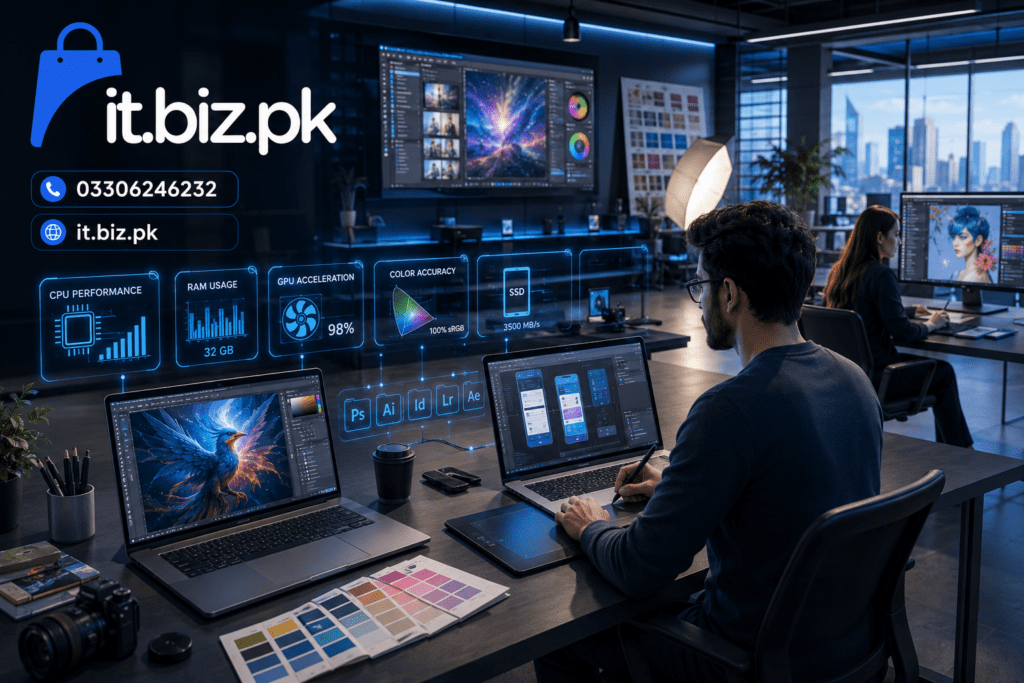

Best Laptop for Graphic Designers: Complete Buying Guide for 2026
Choosing the Best Laptop for Graphic Designers is not simply about buying the most expensive machine. Graphic design puts different demands on a laptop than normal office work. Adobe Photoshop, Illustrator, InDesign, Lightroom, Figma, CorelDRAW, and other creative tools need a good balance of processing power, RAM, storage, display quality, and graphics performance.
The right laptop should feel fast when opening large files, smooth when working with multiple layers, and reliable during long design sessions. Whether you are a student, freelancer, professional designer, or content creator, this guide will help you understand what actually matters before buying a graphic design laptop.
What Makes the Best Laptop for Graphic Designers?
A graphic design laptop needs to handle more than basic browsing and documents. Designers often work with high-resolution images, multiple design applications, large PSD files, vector artwork, fonts, plugins, and browser tabs at the same time.
The most important components are:
- Processor: Intel Core or AMD Ryzen processor with strong multi-core performance
- RAM: 16GB is a comfortable starting point for serious design work
- Storage: SSD storage for faster application loading and file access
- Graphics: Integrated graphics can handle many tasks, while a dedicated GPU helps with heavier creative workloads
- Display: Good resolution, color accuracy, brightness, and viewing angles
- Cooling: Important for long Photoshop, Illustrator, video editing, or rendering sessions
- Battery: Useful for students, freelancers, and designers who work away from a desk
A balanced configuration is usually better than spending most of the budget on one component.
Best Laptop for Graphic Design and Photo Editing
Photo editing can become demanding when you work with large RAW files, high-resolution photographs, multiple layers, masks, filters, and effects.
For Photoshop and Lightroom-style workflows, prioritize RAM, processor performance, SSD storage, and display quality.
Recommended configuration
For regular professional work, consider:
| Component | Recommended |
|---|---|
| Processor | Modern Intel Core / Core Ultra or AMD Ryzen |
| RAM | 16GB or more |
| Storage | 512GB SSD or more |
| Graphics | Modern integrated or dedicated GPU |
| Display | Full HD or higher |
| Screen | IPS or OLED preferred |
| Color | Good color coverage and accuracy |
If you regularly edit very large files, create complex compositions, or use several Adobe applications together, moving toward 32GB RAM can provide more breathing room.
For Pakistani buyers, you can explore laptops and related computer products through IT.biz.pk.
Graphic Design Laptop Requirements You Should Know
Many buyers focus heavily on processor names and ignore the rest of the system. That can lead to an expensive laptop that does not provide the experience they expected.
1. Processor
The processor controls many everyday design operations, including application performance and certain filters, exports, and background tasks.
Look for a modern Intel or AMD processor rather than focusing only on an old high-end model.
2. RAM
RAM is especially important when multitasking.
For example, a designer might have:
- Photoshop open
- Illustrator running
- Chrome with several tabs
- Spotify or another media application
- Figma in the browser
- Email and communication tools
16GB RAM is a strong target for many users. If your workflow involves large files, 3D applications, video editing, or heavy multitasking, consider 32GB.
3. SSD Storage
An SSD can make a major difference to the overall feel of a laptop.
It helps with:
- Faster boot times
- Faster application launches
- Quicker project loading
- Faster file transfers
- Better overall responsiveness
A 512GB SSD is a practical starting point, although designers with large project libraries may prefer 1TB or more.
Best Budget Laptop for Graphic Design
Not every designer needs a premium workstation.
Students and beginners often want a laptop that can handle Photoshop, Illustrator, Canva, Figma, and basic creative work without spending too much.
The key is to avoid sacrificing too many important components simply to get a newer-looking model.
A sensible budget configuration would ideally include:
- Modern processor
- 8GB RAM as a basic starting point, preferably upgradeable
- 16GB RAM for a more comfortable experience
- SSD instead of a traditional hard drive
- Full HD display
- Upgradeable RAM or storage where possible
What about the Best Laptop for Graphic Designers under 50000?
The Best Laptop for Graphic Designers under 50000 can be difficult to define because the available hardware and market prices change frequently.
At this budget, buyers may need to consider refurbished, used, or entry-level machines. Instead of choosing purely by brand, inspect:
- Processor generation
- RAM capacity
- SSD availability
- Display condition and quality
- Battery health
- Upgrade options
- Warranty or return policy
For basic graphic design, an affordable laptop can work, but demanding professional projects may require a higher budget.
Best Laptop for Graphic Designers in Pakistan
The Pakistani laptop market includes models from brands such as HP, Dell, Lenovo, ASUS, Acer, MSI, and Apple.
The right option depends on your workload rather than the logo on the lid.
For example, a student may prioritize affordability and battery life, while a professional designer may prioritize display quality, RAM, GPU performance, and storage.
For students
Look for:
- 16GB RAM if possible
- SSD storage
- Good Full HD display
- Reliable battery
- Upgradeable hardware
For professional designers
Consider:
- 16GB–32GB RAM
- Powerful modern processor
- Dedicated GPU where required
- 1TB SSD for large projects
- High-quality color-accurate display
For freelancers
A balanced laptop can be the smartest choice. You may need to switch between design applications, meetings, browsers, communication tools, and client files throughout the day.
Best Laptop for Graphic Design and Gaming
Gaming laptops can also be attractive to graphic designers because they often include powerful processors, dedicated graphics, high-refresh-rate displays, and strong cooling systems.
However, there is an important difference.
A high refresh rate does not automatically mean a display is ideal for professional graphic design.
For design work, color reproduction and accuracy can matter more than simply having a 144Hz or 165Hz panel.
A gaming laptop can be a good choice if you want one machine for:
- Photoshop
- Illustrator
- Video editing
- 3D applications
- Gaming
- Streaming
- General productivity
The trade-off can be extra weight, fan noise, and shorter battery life compared with some productivity-focused laptops.
Best Laptop for Graphic Design and Video Editing
If you design graphics and edit videos, your requirements become more demanding.
Video editing can benefit heavily from additional CPU performance, RAM, GPU acceleration, and fast storage.
For this type of hybrid workload, consider:
- 16GB RAM minimum for serious multitasking
- 32GB for heavier workflows
- Fast NVMe SSD
- Dedicated GPU when working with demanding video applications
- High-resolution display
- Good color reproduction
- Effective cooling
If your work includes 4K video, motion graphics, 3D rendering, or complex effects, a more powerful workstation-class laptop may be a better investment.
How Important Is the Laptop Display for Designers?
The display is one of the most overlooked parts of a graphic design laptop.
Think about it: you are buying a computer specifically to create visual content, yet the screen is what you look at for hours every day.
A good display should offer:
- High enough resolution
- Strong brightness
- Wide viewing angles
- Good contrast
- Accurate colors
- Consistent image quality
IPS vs OLED for graphic design
IPS displays are widely used and can provide excellent color and viewing angles.
OLED displays can provide deep blacks and impressive contrast, making them attractive for creative work.
However, do not choose a screen simply because it says “OLED.” Look at the complete display specifications and how well they match your workflow.
How Much RAM Does a Graphic Designer Need?
For many designers, 16GB RAM is a sensible target.
8GB can work for lighter tasks, but it can become restrictive when several applications are open simultaneously.
If you frequently use:
- Photoshop
- Illustrator
- Lightroom
- Premiere Pro
- After Effects
- Figma
- Browser-based applications
then 16GB or 32GB can provide a smoother multitasking experience.
The best choice also depends on whether the laptop allows RAM upgrades.
Should Graphic Designers Buy a Dedicated Graphics Card?
Not every graphic designer needs a dedicated GPU.
For traditional Photoshop, Illustrator, Canva, Figma, and general design work, modern integrated graphics may be sufficient depending on the project.
A dedicated GPU becomes more valuable when your workflow includes:
- 3D design
- Motion graphics
- Video editing
- GPU-accelerated effects
- Animation
- CAD or visualization
- Gaming
So, instead of asking “Does this laptop have a graphics card?”, ask:
“Does my actual workflow require dedicated graphics?”
That question can save you money.
Best Laptop Brands for Graphic Designers
Several laptop manufacturers offer models suitable for creative professionals.
HP
HP offers a wide range of laptops, from everyday productivity machines to premium business and creator-focused systems.
Dell
Dell has options across multiple price categories, including business-focused and performance-oriented laptops.
Lenovo
Lenovo is known for its broad laptop lineup, including productivity, business, and performance machines.
ASUS
ASUS offers laptops aimed at creators, professionals, students, and gamers, making it worth considering for design workflows.
Apple
MacBook models are popular among creative professionals because of their displays, performance, software ecosystem, and battery efficiency.
Acer and MSI
Both brands offer performance-focused machines that can appeal to designers who also need gaming or video-editing capabilities.
How to Choose a Graphic Design Laptop in Pakistan
Before buying, create a simple checklist.
If you are a beginner
Choose:
- Modern processor
- 8GB–16GB RAM
- 512GB SSD
- Full HD display
If you are a professional designer
Choose:
- Modern high-performance processor
- 16GB–32GB RAM
- 512GB–1TB SSD
- Quality color-focused display
- Dedicated GPU if your applications require it
If you are a designer and gamer
Choose:
- Strong CPU
- Dedicated GPU
- 16GB+ RAM
- Fast SSD
- Good cooling
- Quality display
This approach is more useful than simply searching for a single “best” laptop.
Common Mistakes When Buying a Design Laptop
Buying only based on processor name
A powerful CPU paired with limited RAM or a poor display may not deliver the experience you expect.
Ignoring the display
For graphic designers, screen quality is not a luxury. It is part of the workstation.
Choosing too little storage
Creative projects can consume hundreds of gigabytes surprisingly quickly.
Buying more GPU power than necessary
If you mainly use Illustrator and Photoshop, spending heavily on a gaming GPU may not provide the best value.
Forgetting upgradeability
A laptop with replaceable RAM or storage can provide more flexibility over time.
Best Laptop for Graphic Designers: Quick Buying Guide
If you want a simple answer, use this framework:
For students:
Choose a modern processor, 8GB–16GB RAM, SSD storage, and a good Full HD display.
For professional graphic designers:
Aim for 16GB–32GB RAM, a powerful modern CPU, fast SSD, and a color-quality display.
For graphic design + video editing:
Prioritize CPU performance, RAM, GPU capability, SSD speed, and cooling.
For graphic design + gaming:
Choose a dedicated GPU, powerful processor, 16GB+ RAM, fast SSD, and a display that also provides good color quality.
FAQs About the Best Laptop for Graphic Designers
1. What is the Best Laptop for Graphic Designers?
The best laptop depends on your software and workload. For most serious designers, look for a modern processor, 16GB RAM, SSD storage, and a good-quality display.
2. Is 8GB RAM enough for graphic design?
8GB can handle basic and lighter design work, but 16GB is generally a more comfortable target for Photoshop, Illustrator, multitasking, and larger projects.
3. Can I buy a graphic design laptop under 50000 in Pakistan?
Yes, but expectations should be realistic. At this budget, entry-level, used, or refurbished laptops may be more practical. Check the processor, RAM, SSD, display, battery, and upgrade options before purchasing.
4. Is a dedicated GPU necessary for graphic design?
Not always. Traditional 2D design may work well with modern integrated graphics. A dedicated GPU becomes more useful for 3D, video editing, animation, gaming, and GPU-accelerated workloads.
Read More…
5. Is a gaming laptop good for graphic designers?
Yes. Gaming laptops can provide strong processors, dedicated GPUs, and good cooling. However, designers should also check display color accuracy, weight, battery life, and overall portability.
Key Takeaways
- 16GB RAM is a strong target for serious graphic design work.
- An SSD is essential for a responsive creative workflow.
- Don’t overlook display quality and color accuracy.
- A dedicated GPU is useful for 3D, video editing, animation, and gaming.
- The Best Laptop for Graphic Designers depends on your actual software and workload.
- Under a limited budget, prioritize balance instead of chasing the newest model.
- Always compare processor generation, RAM, storage, display, battery, and upgradeability before buying.
Conclusion: Find the Best Laptop for Graphic Designers for Your Work
The Best Laptop for Graphic Designers is not necessarily the most expensive laptop or the one with the biggest specifications sheet. It is the laptop that gives you the right balance of performance, display quality, storage, memory, portability, and reliability for the work you actually do.
If you’re buying in Pakistan, start with your software requirements and budget. Then compare suitable HP, Dell, Lenovo, ASUS, Acer, MSI, and Apple models based on their real specifications.
For current laptop options and technology products, visit IT.biz.pk and compare available models before making your decision.
Need help choosing the right laptop for graphic design? Contact the team and share your budget, preferred software, and workload so you can choose a configuration that fits your needs.
Contact Us
Website: IT.biz.pk
Email: [email protected]
WhatsApp: 03306246232
For more articles visit guestpost.com.pk