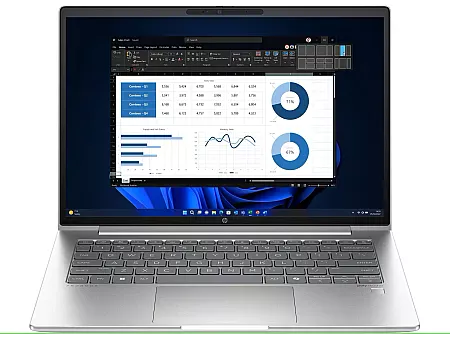

In an era where cyber threats, data theft, and privacy breaches are becoming increasingly common, laptop security is no longer optional — especially for professionals. Whether you are a business owner, corporate employee, freelancer, or remote worker in Pakistan, protecting sensitive data is essential. HP laptops are widely trusted for their advanced security ecosystem that safeguards both personal and professional information.
This article explains how HP laptop security features work, why they matter, and how they add real value when considering hp laptop price in pakistan.
Why Security Is Critical for Professionals in Pakistan
Professionals in Pakistan often work with:
Client data
Financial records
Company credentials
Online banking and cloud platforms
Remote collaboration tools
Threats such as phishing emails, malware, unsafe Wi-Fi networks, and physical laptop theft can compromise critical data. HP addresses these risks through layered security built directly into its laptops.
HP’s Multi-Layered Security Approach
HP laptops protect your data at multiple levels:
Hardware
BIOS & firmware
Operating system
User authentication
Privacy protection
This layered defense ensures that even if one security layer is breached, others remain active.
Core HP Laptop Security Features
1. HP Sure Start (Self-Healing BIOS)
The BIOS is one of the most vulnerable attack points in any laptop. HP Sure Start constantly monitors the BIOS and automatically restores it if tampering or corruption is detected.
Why it matters:
Even advanced malware cannot permanently damage your system firmware.
2. HP Sure Sense (AI-Based Malware Protection)
HP Sure Sense uses artificial intelligence to detect unknown malware that traditional antivirus software may miss. It works in real time and continuously learns from new threats.
Best for:
Professionals who download files, open attachments, or browse frequently.
3. HP Sure Click (Secure Browsing & Attachments)
This feature isolates risky files such as PDFs, Office documents, and browser tabs inside virtual containers. If malware is present, it cannot access your system.
Result:
You can safely open files without fear of infection.
4. Biometric Authentication (Fingerprint & Face Unlock)
HP laptops support Windows Hello through:
Fingerprint readers
Infrared facial recognition
Biometric authentication is significantly more secure than passwords and prevents unauthorized access.
5. Trusted Platform Module (TPM 2.0)
TPM is a hardware chip that securely stores encryption keys, passwords, and certificates.
If your laptop is stolen:
Your data remains encrypted and inaccessible.
6. HP Sure View Privacy Screen
For professionals working in public places, HP Sure View limits screen visibility from side angles.
Ideal for:
Cafes
Airports
Offices
Co-working spaces
This prevents visual hacking and protects confidential information.
7. HP Wolf Security (Business-Grade Protection)
HP Wolf Security combines multiple protection tools into one system, including:
BIOS protection
Threat containment
Endpoint security
Identity protection
This suite is especially valuable for corporate users and business owners.
Physical Security & Durability
HP laptops are built for professional use and include:
Spill-resistant keyboards
Strong chassis designs
Durable hinges
Enterprise-grade build quality
This protects both hardware and internal components from everyday accidents.
Security vs Value: HP Laptop Price in Pakistan
When evaluating hp laptop price in pakistan, security features play a major role in long-term value.
Entry-Level HP Laptops
Basic TPM and password protection
Suitable for students and casual users
Mid-Range HP Laptops
Biometric security
Secure Boot and TPM
Good balance of security and affordability
Premium & Business HP Laptops
HP Sure Start
HP Sure Click & Sure Sense
Privacy screen options
Enterprise-grade protection
While business models cost more, the added security significantly reduces risks related to data loss, downtime, and cyber attacks.
Who Should Prioritize HP Laptop Security?
HP laptops are ideal for:
Accountants & finance professionals
Corporate employees
Freelancers & consultants
Remote workers
IT professionals
Business owners
Anyone handling sensitive data benefits from HP’s advanced security architecture.
Tips to Maximize Security on Your HP Laptop
Enable full-disk encryption
Use biometric login instead of passwords
Keep Windows and drivers updated
Avoid public Wi-Fi without protection
Regularly back up important files
These habits enhance the built-in security features of HP laptops.
Conclusion
HP laptops offer one of the most comprehensive security ecosystems available today. From self-healing BIOS and AI-powered malware detection to biometric authentication and privacy screens, HP ensures your data stays protected in real-world working conditions.
For Pakistani professionals, understanding security features is just as important as comparing specifications and hp laptop price in Pakistan. Investing in a secure laptop not only protects your data but also saves time, money, and stress in the long run.