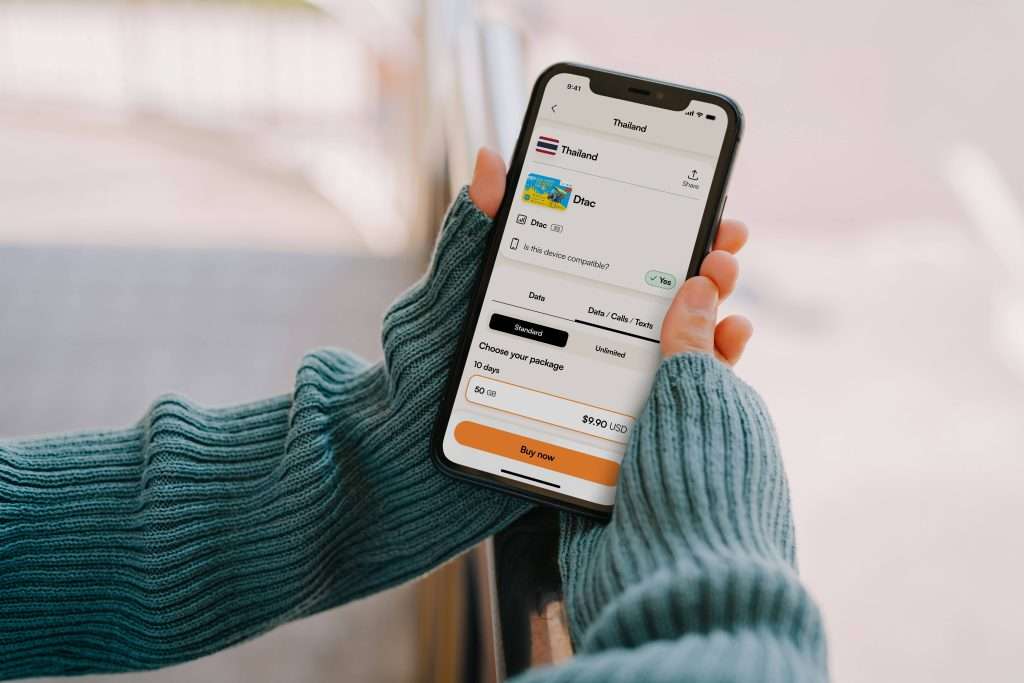

How to Stay Connected While Traveling Abroad Without Paying Roaming Fees
Landing in another country should feel exciting—not like the start of a battle with your phone bill.
Yet international travel creates a common problem: your phone connects to a foreign mobile network, apps begin using background data, and you eventually discover that staying online cost considerably more than expected.
The good news is that travelers have several ways to stay connected without relying on expensive international roaming. Travel eSIMs, local SIM cards, Wi-Fi, offline downloads, and carefully configured phone settings can all reduce costs while keeping essential services such as maps, messaging, translation, email, and online bookings available.
For many modern travelers, a travel eSIM is particularly convenient because it allows you to purchase mobile data before departure and add a separate data plan without physically replacing your primary SIM.
Here’s how to stay connected abroad while keeping roaming costs under control.
Why International Roaming Can Become Expensive
International roaming happens when your mobile phone uses a network outside your home carrier’s normal service area.
Your domestic mobile plan does not necessarily include international usage. Depending on your carrier and destination, calls, texts, and mobile data may be billed differently when you’re abroad.
The U.S. Federal Communications Commission advises travelers to check international roaming rates with their carrier before departure because domestic allowances may not automatically apply overseas.
The biggest problem is often data. You may not intentionally stream movies or download large files, but your phone can still consume data through:
-
Automatic app updates
-
Cloud photo synchronization
-
Email attachments
-
Social media feeds
-
Video autoplay
-
Background app refresh
-
Automatic backups
-
Navigation and map downloads
A few minutes of careless data usage can therefore have a much bigger impact abroad than at home.
The Easiest Way to Avoid Roaming Fees: Use a Travel eSIM
An eSIM is a digital SIM profile built into a compatible smartphone. Instead of purchasing and inserting a physical SIM card, you download a mobile plan directly onto your device.
For international travel, this creates a useful setup: your normal SIM can remain available for your existing number while the travel eSIM handles mobile data.
That means you can continue using services such as WhatsApp, iMessage, Telegram, email, maps, and other internet-based apps while using the travel plan for data.
Before purchasing one, check three things:
-
Your phone supports eSIM.
-
Your phone is carrier-unlocked.
-
The eSIM provides coverage in your destination.
A travel eSIM is not automatically the cheapest option for every trip, but it can be one of the simplest because you can arrange connectivity before leaving home.
For destination-specific research, travelers can compare options such as an eSIM France guide before choosing a plan.
How to Set Up an eSIM Before Your Flight
The best time to prepare your travel connectivity is before you leave—not while standing in an unfamiliar airport.
The exact installation process varies by phone and provider, but the general process looks like this:
1. Check compatibility
Look in your phone’s cellular or SIM settings for an option such as “Add eSIM” or “Add Mobile Plan.”
2. Choose a destination plan
Select a plan based on your destination, trip length, and expected data usage.
3. Install the eSIM
Most providers supply a QR code or another digital installation method. Install the profile while you have reliable Wi-Fi.
4. Label your lines
If your phone supports multiple SIMs, rename the profiles something obvious such as “Home” and “Travel Data.”
This makes it easier to avoid accidentally selecting the wrong line for mobile data.
5. Configure mobile data
Set the travel eSIM as your data line when you arrive.
6. Disable data roaming on your home SIM
This is one of the most important steps. Keeping your primary SIM active for calls or texts does not necessarily mean you should allow it to use cellular data abroad.
7. Test your connection
After landing, turn off airplane mode and confirm that the travel line connects before relying on it for navigation or transportation.
Don’t Confuse “Keeping Your Number” With “Using Your Home Data”
One of the most useful features of a dual-SIM phone is that your home number and travel data can serve different purposes.
For example, you might keep your normal SIM enabled so you can receive an important verification message while setting your travel eSIM as the mobile-data line.
This setup can be particularly useful for travelers who depend on their existing number for two-factor authentication.
However, carrier policies vary. Receiving SMS messages, answering calls, and using cellular data can have different charges, so check your home carrier’s international terms before departure.
Choose the Right Amount of Data
Buying the largest possible data package isn’t always the smartest approach.
Think about how you actually use your phone while traveling.
Light data users
You may only need a small plan if you primarily use:
-
Google Maps or Apple Maps
-
WhatsApp messaging
-
Email
-
Weather apps
-
Online translation
-
Occasional browsing
Moderate data users
A medium-sized plan makes more sense if you regularly:
-
Upload photos
-
Use social media
-
Stream music
-
Make internet calls
-
Work remotely
-
Use ride-hailing applications
Heavy data users
Consider a larger or unlimited plan if you expect to:
-
Join frequent video meetings
-
Upload large files
-
Stream video
-
Use your phone as a hotspot
-
Work online throughout the trip
The important point is to match the plan to your behavior rather than buying based solely on the advertised number of gigabytes.
Traveling Through Multiple European Countries?
Multi-country trips create another connectivity decision.
Suppose your itinerary includes Paris, Rome, Barcelona, Copenhagen, and Lisbon. Buying and installing five separate SIM profiles could become unnecessary work.
A regional travel eSIM may be more convenient when one plan covers several countries.
Travelers can also research destination-specific options such as an eSIM for Italy from Canada, particularly when the trip begins in Canada and continues through Europe.
For travelers visiting Spain, an eSIM Spain guide can help compare available plans and network considerations before departure.
The same principle applies elsewhere in Europe. For example, travelers heading north can research an eSIM Denmark guide, while visitors to Portugal can check a Portugal eSIM comparison.
The key is to look at the entire itinerary rather than choosing a plan based only on the first country you visit.
What About a Local Physical SIM?
A local physical SIM remains a perfectly practical option, especially for longer stays.
You may find local prepaid SIM cards at airports, carrier stores, supermarkets, or other retail locations. They can provide a local number and local network access.
However, there are trade-offs.
You may need to:
-
Find a retailer after arrival
-
Complete identity verification
-
Remove your existing SIM
-
Keep track of the original SIM
-
Configure the new line
-
Deal with a different local number
For a month-long stay, that may be worthwhile. For a short vacation, the convenience of installing an eSIM before departure can be more attractive.
Free Wi-Fi Is Useful—But Don’t Depend on It Completely
Hotels, airports, cafés, restaurants, and public spaces often provide Wi-Fi.
Using Wi-Fi for large downloads, software updates, photo backups, or streaming can reduce your cellular data consumption.
But relying exclusively on public Wi-Fi can create practical problems.
What happens when you’re:
-
Trying to find your hotel after leaving the airport?
-
Ordering a ride from a train station?
-
Looking up a translation in a neighborhood without Wi-Fi?
-
Checking a boarding pass while moving between terminals?
-
Using maps on a rural road?
Having mobile data available provides a useful safety net.
A sensible approach is to combine Wi-Fi with an affordable travel data plan rather than treating them as competing options.
Download Important Information Before Leaving Home
One of the simplest ways to reduce data consumption is to prepare your phone before the trip.
Before departure, consider downloading:
-
Offline maps
-
Hotel confirmations
-
Flight information
-
Train tickets
-
Travel insurance documents
-
Translation languages
-
Important addresses
-
Restaurant reservations
-
Emergency contact information
Offline maps are especially useful because navigation can consume data continuously when you’re moving around a new destination.
You also don’t want your ability to find your hotel to depend on finding a café with Wi-Fi after a long flight.
Change These Phone Settings Before You Travel
A few minutes of preparation can prevent accidental data usage.
Turn off automatic updates
Configure app and operating-system updates to occur over Wi-Fi when possible.
Disable unnecessary background data
Some applications continue communicating with their servers even when you’re not actively using them.
Turn off automatic cloud photo uploads
Photos and videos can consume large amounts of data, particularly when your phone uploads high-resolution files.
Disable data roaming on your home line
If you’re using a travel eSIM for data, make sure your primary SIM isn’t selected as the cellular-data line.
Monitor your usage
Check your phone’s data-usage screen during the trip. This can reveal which apps are consuming the most data.
HelloRoam and the Travel eSIM Approach
Travelers who prefer to arrange their connectivity before departure can also explore HelloRoam’s international eSIM options.
HelloRoam describes its service as a prepaid travel eSIM platform covering more than 185 countries and connecting through 212+ carrier networks. Its plans are delivered digitally, allowing travelers to install an eSIM before reaching their destination.
That approach is useful for people who don’t want to spend part of their first day abroad searching for a SIM shop.
HelloRoam also states that its travel eSIM can handle data while the user’s primary SIM remains available for calls and texts, depending on the phone and carrier configuration.
As with any travel eSIM, travelers should still verify the specific destination, supported device, plan validity, network coverage, and data allowance before purchasing.
How to Choose Between an eSIM, Local SIM, Wi-Fi, and Roaming
There isn’t one connectivity method that fits every traveler.
| Option | Best for | Main advantage | Potential drawback |
|---|---|---|---|
| Travel eSIM | Short trips and multi-country travel | Install before departure | Requires compatible phone |
| Local SIM | Longer stays | Local number and local plans | Requires physical SIM setup |
| Wi-Fi | Hotels and cafés | Often included or inexpensive | Not available everywhere |
| Carrier roaming | Travelers who want maximum simplicity | No new SIM setup | Can be expensive depending on carrier |
| Pocket Wi-Fi | Groups sharing one connection | Multiple devices can connect | Requires rental, charging, and return |
The best option depends on your destination, trip duration, phone compatibility, expected data usage, and whether you need a local phone number.
A Practical Example: A Two-Week European Trip
Imagine you’re spending two weeks traveling from France to Italy and Spain.
Instead of using your home carrier’s standard roaming by default, you could:
Before departure
-
Check that your phone is unlocked and eSIM-compatible.
-
Compare European and country-specific eSIM plans.
-
Install the travel eSIM over home Wi-Fi.
-
Download offline maps.
-
Save hotel and transportation details.
-
Disable data roaming on your primary SIM.
After landing
-
Set the travel eSIM as the data line.
-
Keep your primary number available if necessary.
-
Confirm that mobile data works.
-
Use hotel Wi-Fi for large downloads and backups.
-
Monitor data consumption throughout the trip.
This setup gives you a connection when you need it while reducing the chance of accidentally using expensive roaming data.
Don’t Forget Calls and Messaging
A travel data eSIM doesn’t necessarily provide a traditional local phone number.
That’s not necessarily a problem.
Apps such as WhatsApp, FaceTime, Signal, Telegram, and other internet-based communication services can work over the travel eSIM’s data connection.
If you need to call a hotel, airline, tour operator, or local business, check whether they provide internet-based contact options. For important services, save the relevant numbers before traveling.
If keeping your regular number is important, confirm how your carrier handles incoming calls, texts, voicemail, and two-factor authentication while abroad.
Security Matters When You’re Connecting Abroad
Saving money shouldn’t mean ignoring security.
When using public Wi-Fi, avoid entering sensitive information on networks you don’t trust. Keep your phone’s operating system and important applications updated before traveling.
A travel eSIM can provide cellular connectivity when public Wi-Fi isn’t available, reducing the need to connect to every open network you encounter.
You should also use strong device security, enable screen locking, and consider multi-factor authentication for important accounts.
The Best Way to Stay Connected Abroad Is to Prepare Before You Leave
Avoiding roaming fees isn’t about refusing to use your phone while traveling. It’s about deciding in advance how your phone will connect.
For most short international trips, the simplest strategy is:
-
Check your carrier’s international roaming terms.
-
Confirm your phone is unlocked and eSIM-compatible.
-
Compare travel eSIM plans with local SIM alternatives.
-
Install your travel eSIM before departure.
-
Set it as your mobile-data line after landing.
-
Turn off data roaming on your home SIM.
-
Use Wi-Fi for large downloads and backups.
-
Download maps and important travel information offline.
-
Monitor your data usage.
-
Keep your home number available only when necessary.
Travel connectivity should make a trip easier, not become another source of stress. With a little preparation, you can navigate unfamiliar streets, message family, check reservations, work remotely, and stay reachable without automatically accepting whatever roaming charges your home carrier applies.
For travelers comparing plans before a trip, destination guides such as the BesteSIM travel eSIM resources can be a useful starting point for researching country-specific connectivity options.
FAQs
Can I use an eSIM abroad without paying roaming fees?
Yes. A travel eSIM can provide a separate prepaid data connection while your regular SIM remains installed. However, you should disable data roaming on your primary SIM and verify the travel eSIM’s destination coverage and pricing before using it.
Is an eSIM better than buying a local SIM while traveling?
It depends on the trip. An eSIM is convenient because it can be purchased and installed before departure, while a local SIM may be preferable for longer stays or when you need a local telephone number.
Can I keep my normal phone number while using a travel eSIM?
On compatible dual-SIM devices, you can often keep your primary SIM active while using the travel eSIM for mobile data. Carrier charges and functionality for calls, SMS, and voicemail vary, so check your home carrier’s international terms.
How can I prevent my phone from using roaming data accidentally?
Set the travel eSIM as your mobile-data line, disable data roaming on your primary SIM, turn off automatic downloads where appropriate, and monitor your cellular-data usage during the trip.
Does free hotel Wi-Fi eliminate the need for a travel eSIM?
Not necessarily. Wi-Fi can handle many tasks, but mobile data remains useful when you’re outside your hotel, navigating, using ride-hailing services, checking tickets, or traveling between destinations.
Suggested Image Ideas + Alt Text
Traveler using phone at an airport
“Traveler using smartphone with travel eSIM before an international flight”
Dual-SIM/eSIM phone settings
“Smartphone showing travel eSIM and primary SIM settings”
European travel route
“Traveler using mobile data while visiting multiple European countries”
Phone with maps in a European city
“Tourist using mobile navigation with a travel eSIM abroad”
eSIM installation illustration
“Installing a travel eSIM using a QR code before an international trip”
Comparison infographic
“Travel eSIM versus local SIM, Wi-Fi, and roaming options”