

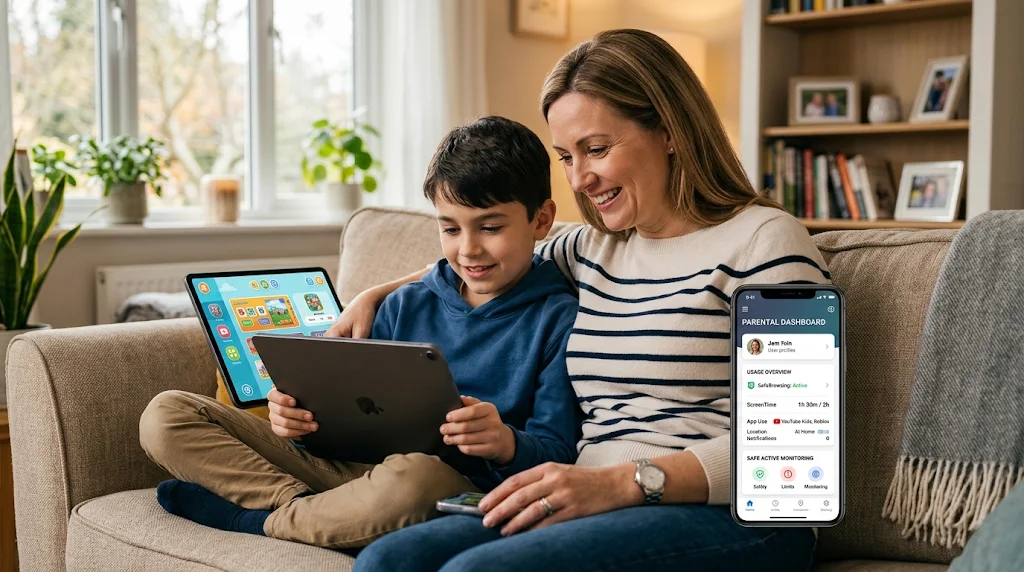

How Parental Monitoring Can Help Children Develop Safer Digital Habits
Smartphones have become an important part of childhood. Children use them to communicate with friends, watch videos, play games, and access educational resources. While technology creates many learning opportunities, it also brings challenges that parents cannot always see.
Online bullying, inappropriate content, unknown contacts, and excessive screen time are common concerns for families. This is why many parents are becoming more involved in their children’s digital routines. Parental monitoring can support this responsibility by helping parents understand device activity and make informed decisions about online safety.
Why Digital Supervision Matters
Children may not always recognize online risks. A message from an unfamiliar person can appear friendly, while a website or social media trend may expose them to unsuitable content. Younger users may also share personal information without understanding how it could be misused.
Parents can reduce these risks by teaching children basic online safety rules. They should explain why personal details must remain private, how to respond to suspicious messages, and when to report uncomfortable online interactions.
However, conversations alone may not answer every concern. Parents may also need a clearer understanding of how their children use their devices. Responsible monitoring can provide additional information when there is a genuine safety reason.
How Parental Monitoring Supports Child Safety
Monitoring software can provide different types of device information, depending on the product, operating system, and permissions available. Parents should understand what each feature does before choosing a solution.
1. Understanding App Usage
Children often install new applications because their friends use them or because they see them promoted online. Some apps are useful for learning and communication, while others may create privacy or safety concerns.
Reviewing installed apps and available usage information can help parents understand which platforms their children use regularly. Instead of immediately restricting an unfamiliar app, parents can ask what it is used for and discuss its privacy settings.
2. Encouraging Healthy Screen Time
Long periods of screen use can interfere with homework, sleep, physical activity, and family time. A clear daily routine helps children understand when device use is appropriate.
Parents can start by agreeing on phone-free periods, such as during meals, study sessions, and bedtime. Screen time reports and scheduling tools may also help families identify patterns and maintain reasonable limits.
For additional guidance, parents can read how to set screen time limits remotely with TheOneSpy. The article discusses ways families can manage device use and establish healthier screen routines.
3. Staying Informed About Location
Location-sharing features can help parents coordinate school pickups, check travel arrangements, and respond when plans change. Some parental monitoring solutions provide location updates or alerts for selected places.
Parents should remember that location information is not always exact or current. A device may lose its internet connection, run out of battery, or display an older location. It is better to combine location tools with regular check-ins and clear family communication.
4. Recognizing Changes in Online Activity
A sudden increase in late-night phone use, unfamiliar contacts, or changes in app activity may give parents a reason to check in. These changes do not automatically mean that something harmful is happening.
The best response is to ask questions calmly and listen. Monitoring information should help parents understand a situation, not become the only basis for judging a child’s behavior.
Choosing the Right Parental Control Solution
Every family has different needs. Some parents mainly want to manage screen time, while others may need location updates or information about supported app activity.
Before selecting software, consider these points:
-
Device compatibility: Confirm that the service supports the child’s phone or computer.
-
Available features: Check which functions work on the specific operating system.
-
Privacy: Read the provider’s privacy policy and understand how collected information is handled.
-
Ease of use: Choose a solution with clear setup instructions and accessible support.
-
Responsible use: Explain monitoring rules to children and follow applicable privacy and consent laws.
Parents comparing available solutions can explore TheOneSpy’s parental control tools to review its monitoring options and check whether they match their family’s requirements.
Monitoring Should Work Alongside Trust
Technology cannot replace parenting. Even a detailed activity report cannot explain everything a child experiences online. A parent may see a new contact or an unfamiliar application, but only a conversation can provide the full context.
Children should know what is being monitored and why. Parents can explain that supervision is intended to support safety, not to remove every part of their privacy. Rules should also change as children grow older and demonstrate greater responsibility.
Regular family discussions can make digital boundaries easier to follow. Parents should encourage children to speak openly about uncomfortable messages, online pressure, or mistakes without fearing an immediate punishment.
Final Thoughts
Parental monitoring can help families understand children’s digital routines and respond to specific online safety concerns. App activity, screen time information, and location updates may provide useful context when supported by the device and service.
The most effective approach combines suitable parental controls with education, communication, and reasonable boundaries. When children understand how to protect themselves online, they become better prepared to use technology responsibly as they grow.