
Introduction
Businesses across Pakistan are moving towards digital billing to improve accuracy, organise financial records, and meet applicable tax requirements. However, adopting billing software alone does not guarantee compliance. Companies must also understand how invoices are generated, how sales information is transmitted, and how their systems should be maintained.
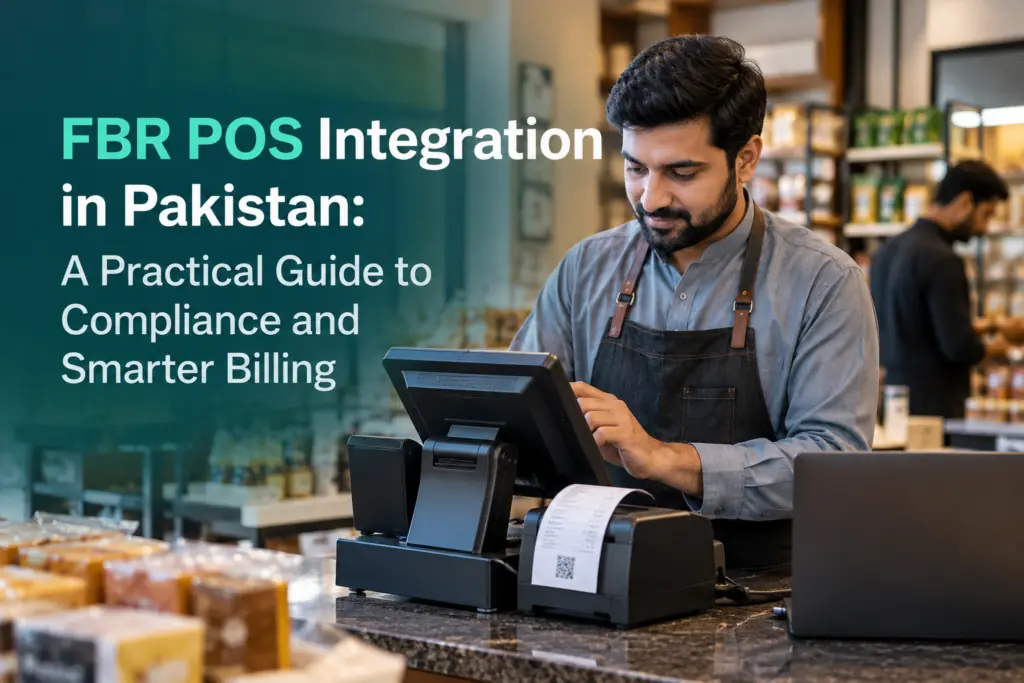
fbr pos integration helps eligible businesses connect their point-of-sale software with the Federal Board of Revenue’s electronic invoicing system. When implemented correctly, this process can support accurate transaction reporting, reduce repetitive data entry, and improve visibility into business operations.
For retailers, restaurants, pharmacies, wholesalers, and growing businesses, understanding the technical and operational requirements is an important step towards better financial management.
What Is FBR POS Integration?
FBR POS integration is the process of connecting a business’s point-of-sale system, enterprise resource planning software, or other invoicing application with the computerized system prescribed by FBR when required.
A traditional point of sale system records transactions, processes payments, and generates customer receipts. An integrated system also supports the required electronic reporting process, allowing prescribed invoice information to be transmitted through the appropriate integration arrangement.
FBR digital invoicing involves creating structured electronic invoices in the prescribed format. Simply scanning a paper invoice or saving it as a PDF does not automatically make it a compliant electronic invoice.
Businesses must evaluate their existing software, registration status, and applicable requirements before selecting an integration solution.
Which Businesses Should Consider POS Integration?
FBR’s electronic invoicing requirements depend on the applicable legislation, notifications, registration status, and business circumstances. Registered persons covered by the relevant requirements may need to integrate their invoicing systems through a licensed FBR integrator.
Businesses should not assume that their obligations are identical to those of other companies. Checking the current rules and confirming the applicable integration requirements can help prevent avoidable compliance problems.
The following business categories should review their invoicing arrangements:
-
Retail stores and supermarkets handling frequent customer transactions.
-
Restaurants and cafes managing daily sales and payment records.
-
Pharmacies maintaining detailed product and billing information.
-
Wholesalers and distributors processing large transaction volumes.
-
Multi-branch businesses requiring consistent reporting across outlets.
-
Other registered businesses subject to applicable electronic invoicing requirements.
Even businesses already using modern software should verify whether their existing systems support the required reporting process.
Essential Requirements for FBR POS Integration
1. Compatible Billing Software
The first requirement is software that can support the relevant invoicing and reporting specifications. An effective POS software solution should record transactions accurately and capture the necessary information for electronic invoices.
Businesses should review their existing systems before purchasing new software. Depending on compatibility, the current application may be configurable, or a different solution may be more appropriate.
Important features include billing accuracy, transaction records, product management, tax configuration, reporting capabilities, and support for the required integration workflow.
2. Integration Through an Approved Provider
Where applicable rules require integration through a licensed provider, businesses must verify that their chosen provider holds the necessary FBR authorisation.
A licensed FBR integrator can help configure the connection between the business’s software and the relevant electronic invoicing system. Before appointing a provider, confirm the scope of work, configuration responsibilities, testing arrangements, ongoing support, and any applicable service charges.
FBR also identifies PRAL as a provider of integration services under specified provisions. Businesses should assess the available approved arrangements and confirm which route suits their circumstances.
3. Accurate Product and Tax Information
Incorrect billing data can create problems even when software and connectivity are working properly.
Businesses should maintain accurate product descriptions, quantities, prices, units of measurement, tax categories, and applicable HS codes. Customer information should also be recorded correctly wherever required.
Products sharing an HS code may still require distinct descriptions or different tax treatment. Therefore, business owners should not assume that similar product classifications automatically justify identical tax settings.
Proper sales tax configuration helps reduce reporting inconsistencies and unnecessary corrections.
4. Structured Electronic Invoices
A compliant invoicing process must capture the information required under the applicable rules and technical specifications.
Depending on the system and transaction, relevant information may include seller details, buyer information, invoice date, item descriptions, taxable values, tax amounts, and other prescribed fields.
The software should create electronic sales tax invoices in the required format and maintain their connection to the original transactions. Where applicable, FBR invoice identifiers and invoice verification QR codes can help users verify invoice information.
5. Testing and Transmission Verification
Installation is only one stage of implementation. Before launching the system, businesses should confirm that invoice information is transmitted correctly and that the relevant response is recorded.
Testing should cover ordinary sales, applicable transaction types, tax calculations, rejected submissions, and invoice identification details.
A properly documented FBR invoice verification process makes it easier for staff to identify discrepancies and investigate problems before they affect wider reporting.
Business Benefits of a Connected POS System
Improved Billing Accuracy
Manual calculations and repeated data entry increase the likelihood of mistakes. A properly configured digital billing system can automate calculations, standardise transaction records, and help employees follow consistent billing procedures.
These improvements are particularly valuable for businesses processing many transactions each day.
Better Inventory Management
A connected inventory management system can update stock records as sales occur. Managers can monitor product movement, identify low-stock items, and investigate differences between recorded sales and physical inventory.
Accurate inventory information can also support purchasing decisions and reduce unnecessary administrative work.
Easier Financial Reconciliation
When billing records and accounting information follow a consistent process, businesses can compare sales totals, tax amounts, and transaction histories more efficiently.
Effective sales reconciliation helps identify missing entries, duplicate transactions, and discrepancies between operational reports and financial records. However, automated reporting still requires periodic review by responsible staff.
Stronger Multi-Branch Management
Businesses operating several outlets often struggle with inconsistent product data, separate spreadsheets, and different billing practices.
A centralised multi-branch POS system can help management apply consistent settings, monitor outlet performance, and review sales information from a shared reporting environment.
Access controls should ensure that employees can perform only the activities authorised for their roles.
Common FBR POS Integration Challenges
Incorrect Product Mapping
Outdated product descriptions and incorrect tax settings can result in errors. Review the product catalogue before implementation and assign responsibility for maintaining accurate records.
Rejected or Missing Invoices
A receipt appearing on a cashier’s screen does not necessarily prove that the required electronic submission has been accepted.
Train employees to check submission status, recognise error messages, and follow documented procedures for failed transactions. Maintain a record of unresolved exceptions until they have been investigated.
Internet and Technical Interruptions
Connectivity issues, hardware failures, and software interruptions can disrupt business operations.
Establish a documented response procedure with the integration provider. Staff should understand how to record incidents, escalate technical issues, and resume processing according to the applicable FBR rules.
Businesses should never assume that every transaction can automatically be transmitted later without following the relevant requirements.
Limited Employee Training
Even a technically sound system can create operational problems if employees do not understand its functions.
Provide practical training on billing, invoice verification, tax settings, transaction corrections, and exception handling. Supervisors should also understand the reporting tools needed to monitor performance.
How Should Businesses Correct Invoice Errors?
Invoice corrections must follow the applicable legal and technical process. Deleting a transaction from local billing software does not necessarily amend the corresponding electronic invoice held in the official system.
FBR’s Sales Tax General Order No. 01 of 2026 states that an integrated person may cancel, delete, or edit a valid electronic sales tax invoice generated due to a genuine mistake through the Board’s computerized system within 72 hours of its generation. After that period, prior approval from the concerned Commissioner Inland Revenue is required, subject to applicable conditions.
Businesses should verify the current procedure before making changes to submitted invoices. Keep supporting documents, correction reasons, and relevant approvals with the transaction records.
A clear digital invoice management process helps preserve the audit trail and makes subsequent reconciliation easier.
Choosing the Right Implementation Support
Selecting suitable software and implementation support can make the transition to electronic invoicing more manageable.
Before making a decision, assess the provider’s experience, software compatibility, training arrangements, reporting tools, maintenance services, and ability to support additional outlets as the business grows.
Ask for a demonstration covering normal billing, invoice transmission, rejected transactions, inventory updates, and daily reporting. Confirm the scope of implementation and the responsibilities of each party before proceeding.
Pakistan’s First Online Consultants (PFOC) helps businesses assess their billing requirements, implement POS solutions such as Tiller, support digital invoicing workflows, and train staff. The chosen setup should always be checked against the requirements and authorisations applicable to the business.
Final Thoughts
FBR POS integration is more than a software upgrade. It connects billing operations with electronic invoicing requirements while creating opportunities to improve sales monitoring, inventory control, and financial reconciliation.
Businesses should begin by reviewing their obligations, checking software compatibility, preparing accurate tax data, verifying the integration arrangement, and testing the complete invoicing process.
Ongoing monitoring is equally important. Regular reconciliation, controlled system access, employee training, and reliable technical support help maintain consistent records and address errors promptly.
A well-managed integration process can strengthen business operations while helping eligible businesses maintain better organised records and meet their applicable electronic invoicing responsibilities.