

Visual content has become an important part of communication across websites, social media platforms, online stores, and digital campaigns. A well-designed image can explain an idea, attract attention, and make information easier to understand. However, creating original visuals often requires design skills, suitable software, and considerable time.
Recent developments in image creation technology have introduced new ways to approach this process. Instead of starting every design from scratch, users can describe an idea in words and generate a visual representation. This has made creative production more accessible to marketers, designers, bloggers, educators, and small businesses.
Understanding Text-Based Image Creation
An image generation system converts written instructions into visual content. A user might describe a landscape, a product scene, an illustration, or a particular artistic style. The system then produces an image based on the details in that description.
Most modern AI image generators use advanced machine learning models trained to recognize relationships between language and visual patterns. They interpret details such as objects, colours, composition, lighting, and style to create a result that matches the given instructions.
For example, a user could request a minimal product photograph with a clean background, soft lighting, and a specific colour theme. The generated result can provide an initial concept that may later be edited or refined.
The quality of the output depends on several factors, including the model, prompt clarity, image settings, and the complexity of the requested scene.
Why Businesses Are Exploring Image Generation
Producing visual material regularly can be challenging for businesses with limited budgets or small creative teams. A single marketing campaign may require website banners, social media graphics, promotional illustrations, and supporting images for articles.
AI image generators can help teams explore multiple visual directions without preparing every concept manually. This is particularly useful during the early stages of creative planning.
Some common business applications include:
Social media content: Preparing visual concepts for posts, announcements, and promotional campaigns.
Website graphics: Developing illustrations for landing pages, blogs, and service sections.
Product presentation: Exploring backgrounds and creative layouts for product promotions.
Advertising concepts: Testing different visual approaches before producing final campaign assets.
Educational material: Creating supporting illustrations for presentations, tutorials, and learning resources.
These applications can make the creative process more flexible, although final images should always be reviewed before publication.
Writing Better Prompts for More Relevant Results
The instructions provided to an image generation system are commonly called prompts. A vague description may produce an unexpected result, while a detailed prompt can give the system a clearer creative direction.
A useful prompt generally includes the main subject, setting, visual style, composition, lighting, and intended format.
For example, instead of writing “a modern office”, a more descriptive instruction could be:
“Create a bright, modern workspace with a wooden desk, a laptop, indoor plants, natural window lighting, and a clean professional photography style.”
This gives the system more information about the desired scene.
It is also helpful to avoid adding too many unrelated details. When instructions conflict, the output may not match the intended design. Users should experiment with different descriptions and refine the results gradually.
Important Features to Compare Before Selecting a Platform
Not every image creation platform offers the same capabilities. Some focus on artistic illustrations, while others are designed for product visuals, marketing graphics, or professional creative workflows.
Before choosing a platform, consider these features:
Output quality: Check whether generated images have suitable detail, composition, and resolution for your intended use.
Editing options: Some platforms allow users to modify selected areas, remove backgrounds, expand images, or create variations.
Style control: Look for options that help maintain a consistent visual appearance across multiple designs.
Export formats: Check whether the platform supports the file formats and dimensions required for your website or marketing channel.
Pricing and usage limits: Review free credits, subscription costs, generation limits, and any additional charges.
Commercial permissions: Read the provider’s terms carefully to understand whether generated images can be used in advertisements, client projects, or commercial publications.
A platform should be selected according to the actual requirements of a project rather than the number of features it advertises.
Using Generated Images Responsibly
Convenient image creation also brings important responsibilities. Generated visuals may contain distorted text, unrealistic objects, incorrect details, or unintended similarities to existing artwork. These issues can affect the credibility of published content.
Users should inspect every image before using it. Product visuals must represent the actual product accurately, especially in online shopping and advertising. Images used in educational material should not communicate incorrect information.
Copyright and usage permissions also deserve attention. Different providers may have different rules concerning ownership, commercial use, attribution, and prohibited content. Businesses should review these conditions before publishing generated assets.
It is equally important to avoid creating misleading images of real people or presenting fictional scenes as genuine events. Transparency helps maintain audience trust.
How Image Creation Fits into a Digital Content Workflow
Visual production works best when it is connected to a broader content strategy. A business preparing a blog article, for example, should first identify the subject and understand what kind of visual would help readers.
The team can then prepare a concept, generate a few options, review the results, and make necessary edits. Before uploading the selected image, it should be optimized for the intended platform with suitable dimensions, file size, and descriptive alternative text.
For social media campaigns, the same process can be adapted to different formats. However, every version should maintain consistent branding and communicate the campaign’s message clearly.
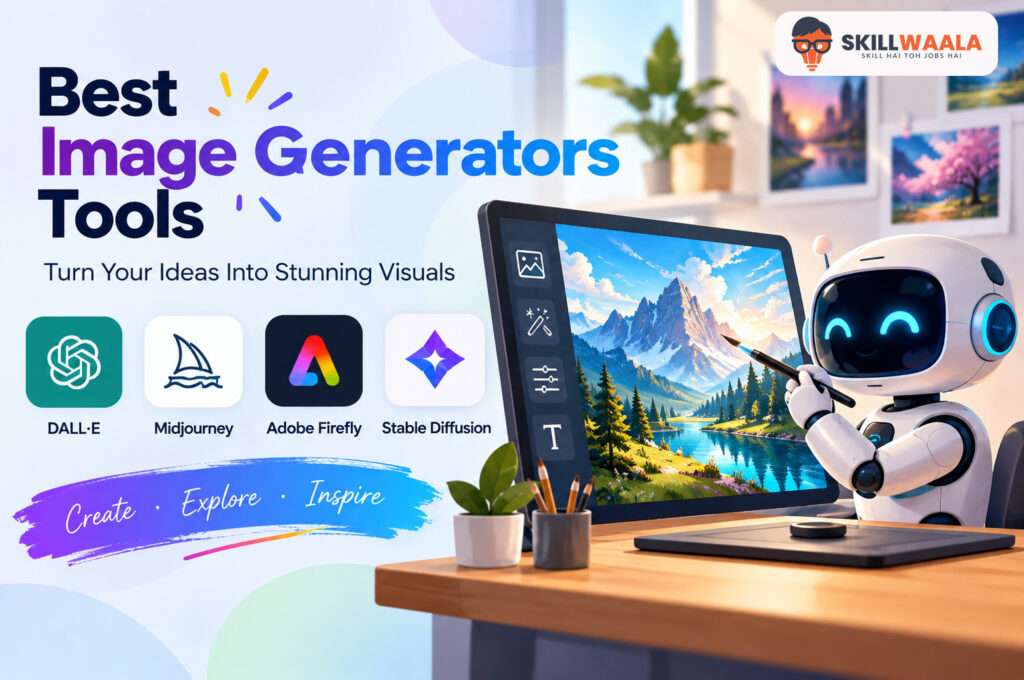
Exploring different AI image generators can help creators understand which platforms suit their preferred style, editing requirements, and production needs. Comparing actual outputs is often more useful than relying only on promotional descriptions.
Final Thoughts
Visual communication continues to influence how people discover information, evaluate products, and interact with brands. New image creation technology offers additional flexibility for individuals and organizations that need original visual concepts.
The real benefit of AI image generators lies in their ability to support creative exploration and reduce some of the effort involved in preparing initial designs. However, good results still depend on clear instructions, careful editing, accurate information, and responsible usage.
Whether creating website illustrations, social media graphics, or marketing concepts, users should focus on choosing suitable tools and maintaining visual quality. A thoughtful creative process can turn generated images into useful assets that support better digital communication.