

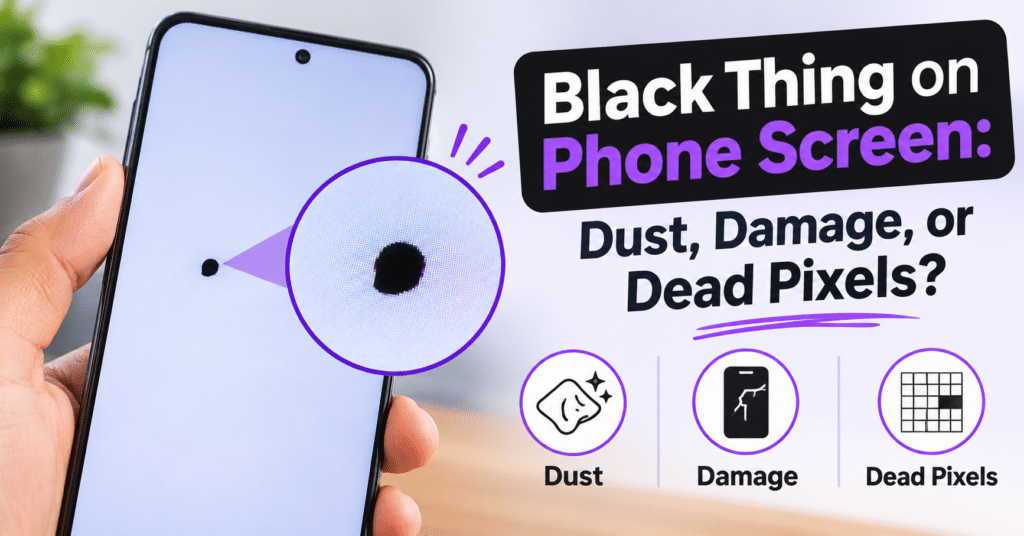

A black thing on a phone screen can be caused by trapped dust, physical display damage, or dead pixels. While some screen marks are harmless, dark spots that remain visible or gradually spread may indicate damage to the display panel. Identifying the cause is important before deciding whether you need simple cleaning, troubleshooting, or professional screen repair.
1. Dust or Dirt Trapped on the Phone Screen
Sometimes, a black spot on a mobile screen is simply dust, dirt, or debris sitting on the screen surface. These particles can look like tiny black dots, especially when viewed against a white or brightly colored background.
How to Identify Dust on Your Screen
- The black mark may change or disappear when you wipe the screen.
- It may feel slightly rough if the particle is sitting on the surface.
- The display underneath continues working normally.
- The spot does not affect nearby pixels or screen colors.
What to Do: Clean your phone screen gently with a soft microfiber cloth. Avoid using sharp objects or excessive pressure. If the black mark remains after cleaning, it may be something other than surface dirt.
2. Physical Damage to the Display
A black thing on a phone screen can also indicate internal display damage. Dropping your phone, applying excessive pressure, or accidentally sitting on it can damage the display panel, even when the outer glass appears unbroken.
Signs of Internal Screen Damage
- A black spot appears after dropping the phone.
- The dark area gradually becomes larger.
- Black patches appear around the edges or corners.
- Colored lines or unusual patterns develop near the spot.
- Touchscreen responsiveness becomes inconsistent.
What to Do: Restart your phone and check whether the black mark remains. If it stays in the same position, the display may be physically damaged. Avoid pressing the affected area because additional pressure can make the damage worse. Professional inspection may be necessary.
3. Dead Pixels on the Phone Screen
Dead pixels are another possible reason for seeing a black dot on your phone screen. A pixel is a tiny display element responsible for producing different colors. When a pixel stops functioning, it may appear as a permanent black dot.
How to Identify Dead Pixels
- The black dot remains in exactly the same position.
- It is usually very small and clearly defined.
- It remains visible across different apps and backgrounds.
- The surrounding screen generally works normally.
What to Do: Display solid white, red, green, and blue backgrounds to check whether the dot remains visible. If it consistently appears black, it could be a dead pixel. Software troubleshooting is unlikely to fix a physically defective pixel.
4. How to Tell the Difference Between Dust, Damage, and Dead Pixels
You can use a few simple checks to identify the possible cause of a black mark.
- Dust: Usually disappears after gently cleaning the screen.
- Display damage: Often appears as an irregular black patch that may spread over time.
- Dead pixels: Typically appear as tiny, fixed black dots that remain in the same location.
When Should You Get Your Phone Screen Repaired?
If the black spot remains after cleaning and basic troubleshooting, your phone may have an internal display problem. Growing black patches, flickering, colored lines, and touchscreen issues are signs that professional inspection is recommended.
A technician can examine the display and determine whether the issue requires screen replacement or another repair. DeviceFixes offers professional phone repair services with an online booking and pickup-and-delivery process, helping make device repairs more convenient.
Final Takeaway
A black mark on your phone screen could be dust, physical display damage, or dead pixels. Check whether cleaning removes it, whether the mark changes size, and whether it stays fixed across different backgrounds. These checks can help you identify the likely cause and choose the right solution.