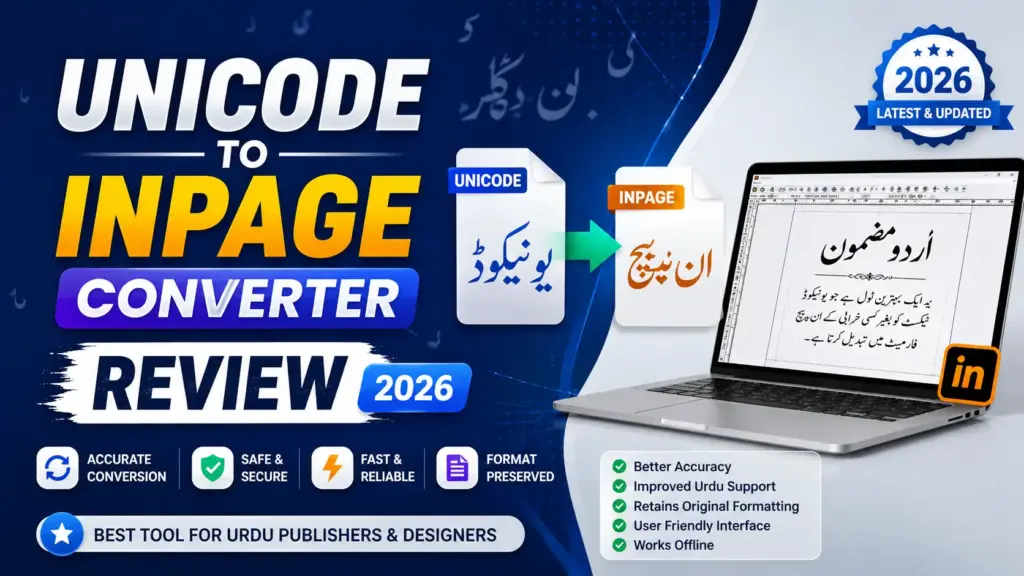

If you work with Urdu, Arabic, Persian, or Sindhi content, you have likely faced the frustrating challenge of switching between modern digital platforms and classic desktop publishing software. The Unicode to InPage Converter is built specifically to solve this problem, offering a fast, reliable, and accurate way to transform standard Unicode text into InPage-compatible encoding and vice versa. This in-depth review covers everything you need to know before using the tool.
What Is the Unicode to InPage Converter?
The Unicode to InPage Converter is a software application designed to convert text from Unicode font format into InPage font format. InPage is a powerful desktop publishing software widely used across South Asia for creating professional-quality documents in languages that use the Perso-Arabic script, including Urdu, Arabic, Persian, and Sindhi. It is the go-to platform for publishers, designers, and writers producing newspapers, magazines, books, and advertisements.
The core problem this tool addresses is a fundamental incompatibility between modern systems and InPage. While modern devices and operating systems rely on Unicode the international character encoding standard that assigns a unique number to every character across all platforms, programs, and languages InPage uses a non-Unicode, font-based Nastaliq encoding system. Without a converter, Unicode text pasted into InPage often appears broken and unreadable. The Unicode to InPage Converter bridges this gap by accurately mapping each Urdu letter and glyph to its InPage equivalent, ensuring smooth text display and classic layouts.
How Does the Converter Work?
The tool operates through a sophisticated algorithm that analyzes incoming Unicode text and converts it into InPage font format through precise character mapping. Each Unicode character is matched to its InPage counterpart, guaranteeing an accurate representation of the text in the desired font. The process is entirely automated users simply input or paste their Unicode text into the input field and click the Convert button to generate perfect output instantly.
The conversion process is equally straightforward in reverse. The InPage to Unicode converter handles text from traditional InPage Nastaliq fonts, transforming glyph-based content into clean, selectable, and searchable Unicode Urdu text that works seamlessly on modern devices, websites, and applications.
Key Features Worth Knowing
Accurate Character Mapping stands as the tool’s strongest feature. Every Unicode Urdu letter is mapped to its InPage word format encoding with full preservation of character shapes and connected forms. This is critical for Nastaliq script, where letterforms change depending on their position within a word.
InPage Nastaliq Formatting ensures full compatibility with classic InPage layouts used in newspapers, magazines, brochures, and book publishing. Writers and publishers can move between print and digital workflows without needing additional software.
Precise Glyph to Unicode Conversion on the reverse side guarantees zero broken shapes or distortions. The converted text works natively in Word, Google Docs, websites, blogs, mobile apps, CMS systems, databases, and PDF editors making it ideal for converting old books, newspapers, and archived files into clean, editable, searchable Unicode Urdu.
Benefits of Using This Converter
The Unicode to InPage Converter delivers several practical benefits that make it a preferred choice for content creators:
Time-saving efficiency is perhaps the most immediate advantage. Manually converting text between Unicode and InPage format is a tedious, time-consuming process. The converter tool quickly transforms content with zero manual intervention, freeing writers and publishers to focus on their core tasks.
Accuracy and reliability are built into the conversion engine. Unlike manual efforts that introduce errors and inconsistencies, the tool ensures a reliable, error-free conversion while preserving the full integrity of your content including original structure, punctuation, and linguistic elements.
Ease of use is another major selling point. The user-friendly, intuitive interface requires minimal technical expertise. The straightforward design delivers a hassle-free conversion experience even for users unfamiliar with encoding standards.
Support for multilingual content extends the tool’s value beyond Urdu alone. Unicode fonts support multiple languages, and the converter handles text in Urdu, Arabic, Persian, and Sindhi, significantly broadening the reach and accessibility of your documents.
Limitations to Consider
Despite its strengths, the Unicode to InPage Converter does have some limitations worth acknowledging. There can be incompatibility with complex Unicode characters or scripts that fall outside standard Urdu character sets. Some advanced typographic features and formatting may experience potential loss during the conversion process, particularly for highly styled InPage layouts. Additionally, proper display of InPage content depends on the availability of specific fonts being installed on the target system.
For extremely long texts, users should also expect additional processing time, though the tool handles large paragraphs and multi-page text without structural issues.
Best Practices for Optimal Results
To get the best results from the Unicode to InPage Converter, ensure your Unicode text input is accurate and error-free before processing. Review the available conversion options to confirm they align with your requirements and check that the necessary InPage fonts are installed on your system for proper display of the converted InPage content.
Final Verdict
The Unicode to InPage Converter is a genuine game-changer for anyone working with languages using the Perso-Arabic script. Its consistent mapping of Urdu characters, symbols, and connected forms combined with a smooth, accurate, hassle-free conversion experience makes it an invaluable tool for digital content creators, print layout designers, and publishers alike. Whether you are managing a newspaper archive, building a multilingual CMS, or simply need seamless conversion between modern platforms and InPage, this tool delivers on its promise of high accuracy, clean output, and ease of use.
For those looking to streamline language-based projects and produce visually appealing content in InPage format, this converter is, without doubt, the most reliable solution available today.