

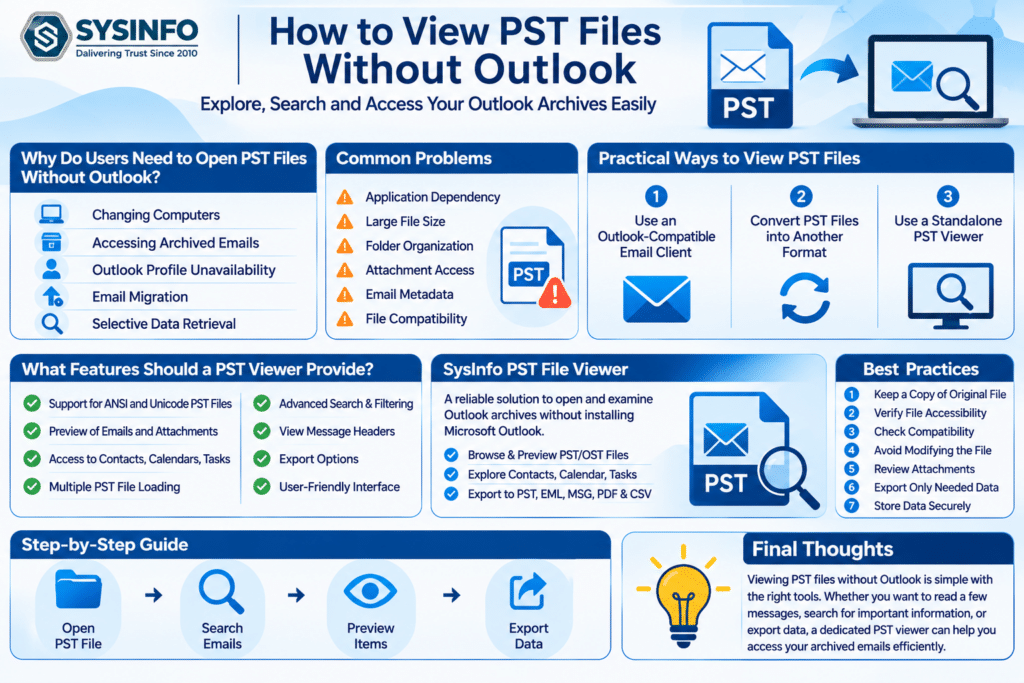

Outlook PST files are widely used to store email messages and other mailbox information for long-term access. Individuals and businesses often maintain these archives when switching computers, changing email platforms, or preserving important communication records. However, accessing an existing PST file can become difficult when Microsoft Outlook is no longer installed on the system.
This situation is common when employees receive archived mailbox files from previous organizations, IT teams review old email records, or users move to a different email application. Installing and configuring Outlook just to inspect an archive may not always be practical. Fortunately, there are alternative ways to access and examine PST data.
Why Do Users Need to Open PST Files Without Outlook?
There are several situations where users need to access PST archives independently of Microsoft Outlook.
Changing Computers: Users may have PST files from an older computer but no Outlook installation on their new device.
Accessing Archived Emails: Businesses often retain PST files for historical communication, customer records, and internal documentation.
Outlook Profile Unavailability: An old Outlook profile may have been removed, while the corresponding PST archive is still available.
Email Migration: Before moving mailbox information to another platform, administrators may need to inspect existing PST files and identify important folders.
Selective Data Retrieval: Sometimes users only need a few emails or attachments rather than importing an entire archive into Outlook.
Common Problems When Accessing PST Files
Opening a PST archive without Outlook can present several challenges.
-
Application Dependency: Some traditional methods require Microsoft Outlook to be installed and configured.
-
Large File Size: Archives containing thousands of messages can be difficult to navigate manually.
-
Folder Organization: Users may need to preserve the original folder hierarchy to locate specific conversations.
-
Attachment Access: Important documents and images may be stored inside individual email messages.
-
Email Metadata: Technical users may need sender information, timestamps, message headers, and recipient details.
-
File Compatibility: Older PST archives may use different storage formats, making compatibility an important consideration.
Understanding these challenges helps users select an appropriate method for inspecting their mailbox data.
Practical Ways to View PST Files Without Outlook
1. Use an Outlook-Compatible Email Client
Some email applications support importing Outlook data through compatible formats or additional conversion steps. However, direct PST support is not universal. Users should check the application’s import capabilities before attempting to access an archive.
2. Convert PST Files into Another Format
Another approach is to convert mailbox information into formats such as EML, MBOX, PDF, or MSG. This can make selected messages easier to access using other applications. However, conversion may require additional software and careful handling of attachments and folder structures.
3. Use a Standalone PST Viewer
A dedicated PST viewer provides a direct way to examine supported Outlook data files without configuring a complete Outlook environment. Depending on the software, users can browse mailbox folders, preview emails, inspect attachments, and search for specific information.
This approach is particularly useful when the objective is to examine an archive rather than migrate the entire mailbox.
What Features Should a PST Viewer Provide?
Choosing a suitable PST viewer requires more than checking whether it can open a file. Users should consider the following capabilities:
-
Support for ANSI and Unicode PST files.
-
Preview of emails and attachments.
-
Access to contacts, calendars, tasks, and other supported Outlook items.
-
Multiple PST file loading.
-
Advanced email search and filtering.
-
Inspection of message headers and MIME content.
-
Options to export selected mailbox data.
-
A clear folder navigation interface.
These features can make PST inspection more convenient, especially when dealing with large archives or business-related records.
Using SysInfo PST File Viewer to Examine Outlook Archives
For users who need to inspect Outlook mailbox data without installing Microsoft Outlook, SysInfo PST File Viewer offers a dedicated solution for viewing supported PST and OST files.
The software supports ANSI and Unicode PST files and allows users to browse mailbox folders and preview emails. It can also display supported Outlook items such as contacts, calendars, tasks, notes, journals, and RSS feeds.
Users can load multiple PST files, search for specific emails, apply available filters, and examine message headers, MIME content, and attachments. It also provides export options for formats such as PST, EML, MSG, MBOX, PDF, and CSV.
The demo version allows users to preview and export up to 100 emails per folder, making it possible to evaluate the application before processing larger archives.
Best Practices Before Opening a PST Archive
Before inspecting an important PST file, follow a few precautions:
-
Keep an unchanged copy of the original archive.
-
Verify that the file is accessible from the storage location.
-
Check file compatibility with the selected viewer.
-
Avoid modifying the original archive during inspection.
-
Review attachments and important folders after loading the file.
-
Export only the information required for your purpose.
-
Store exported mailbox data securely, especially when it contains business or personal information.
Conclusion
Accessing Outlook PST files without Microsoft Outlook is possible through compatible applications, conversion methods, and dedicated PST viewer software. The right approach depends on whether users want to read a few messages, examine a complete mailbox archive, or export selected information for future use.
For regular PST inspection, a standalone viewer can simplify folder navigation, email preview, metadata examination, and data export. Evaluating file compatibility and available features before starting can help users access their archived communication more efficiently.