

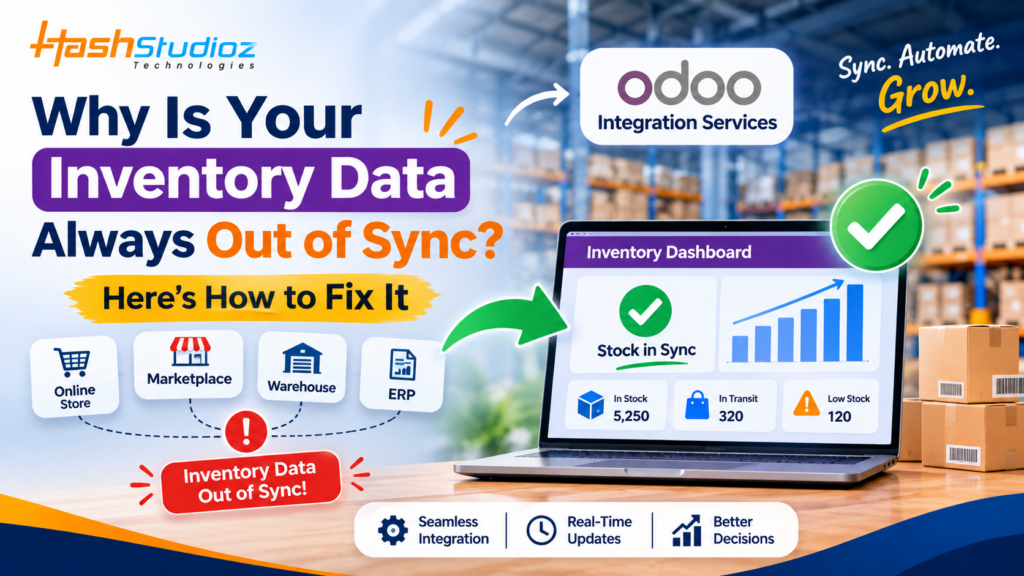

Have you ever checked your inventory system and found that the available stock doesn’t match the actual products in your warehouse? Perhaps your website shows an item as available even though it is out of stock, or your sales team confirms an order for a product that the warehouse has already dispatched.
These situations are more common than many businesses realize. When inventory information is scattered across eCommerce platforms, ERP systems, spreadsheets, warehouses, and accounting applications, keeping everything updated becomes a constant challenge.
The answer often lies in disconnected applications and inefficient data synchronization processes. Integrating your inventory management system with other business applications can help create a consistent flow of information across departments.
This is where Odoo Integration Services become valuable. By connecting Odoo with eCommerce platforms, sales applications, warehouse systems, and other business tools, organizations can synchronize relevant inventory information, reduce manual data entry, and improve stock visibility.
Why Does Inventory Data Keep Getting Out of Sync?
Inventory discrepancies usually occur when multiple systems manage the same product information without properly communicating with each other.
For example, a business might use one application to process online orders, another to manage warehouse stock, and a separate spreadsheet to track product availability.
When a transaction happens in one system but isn’t reflected in the others, inventory records become inconsistent.
Common Reasons for Inventory Data Inconsistencies
- Disconnected Business Applications
When your eCommerce platform, ERP, and warehouse management software operate independently, stock information may not update automatically across systems.
- Manual Data Entry
Employees may need to update inventory records in multiple applications. This increases the chances of duplicate entries, incorrect quantities, and missed updates.
- Delayed Data Synchronization
Some systems synchronize information at scheduled intervals rather than immediately. This can create temporary differences between actual stock and displayed availability.
- Multiple Sales Channels
Businesses selling through websites, marketplaces, and physical stores may struggle to maintain consistent stock information across all channels.
- Incorrect Inventory Adjustments
Unrecorded returns, damaged products, stock transfers, and manual corrections can create differences between physical inventory and system records.
- Poor Integration Configuration
Even connected systems can experience synchronization problems when product identifiers, warehouse locations, or transaction rules are incorrectly configured.
Understanding these causes is the first step toward building a reliable inventory management process.
How Inventory Data Mismatches Affect Your Business
Inventory inaccuracies are not just technical problems. They directly affect customer experience, employee productivity, and business profitability.
Overselling and Missed Sales Opportunities
Imagine an online store showing 20 units of a product as available when the warehouse actually has only five.
If customers place orders for more than five units, the business may face order cancellations, delivery delays, and customer complaints.
On the other hand, if the system shows zero stock when products are actually available, the business may lose potential sales.
Delayed Order Fulfillment
When warehouse employees receive incorrect stock information, they may spend additional time searching for products, checking records, and coordinating with other departments.
This slows down order processing and affects delivery schedules.
Increased Operational Costs
Inventory discrepancies can result in:
- Unnecessary product purchases.
- Emergency stock replenishment.
- Additional warehouse inspections.
- Increased administrative work.
- Higher product holding costs.
- Returns and order cancellation expenses.
Poor Business Decision-Making
Managers depend on inventory reports to make purchasing, sales, and supply chain decisions.
If the underlying information is inaccurate, business decisions may also become unreliable.
For example, a purchasing manager might order additional products because the ERP reports low stock, even though sufficient inventory is already available in another warehouse.
Accurate inventory information is therefore essential for maintaining efficient business operations.
How Odoo Helps Centralize Inventory Information
One effective way to address inventory inconsistencies is to connect business operations through a centralized ERP platform.
Odoo provides integrated applications for managing inventory, sales, purchasing, accounting, and other business activities.
When configured correctly, these applications can share relevant transaction and stock information.
Centralized Inventory Management
Odoo Inventory helps businesses manage product quantities, warehouse locations, stock movements, receipts, deliveries, and internal transfers.
Instead of maintaining separate inventory records across departments, organizations can manage relevant stock information through a centralized system.
Connected Sales and Inventory Operations
Odoo Sales and Inventory applications work together to support connected order and stock workflows.
For example:
- A customer places an order.
- The sales team confirms the order.
- The relevant delivery operation is created.
- Warehouse employees process the product movement.
- Inventory records are updated according to the validated stock operation.
This helps different teams work with consistent transaction information.
Better Warehouse Visibility
Businesses operating multiple warehouses can use Odoo to organize inventory across different locations.
Managers can review relevant stock quantities, product movements, and warehouse operations from the system.
This makes it easier to identify where products are available and coordinate stock transfers when necessary.
Why Odoo Integration Services Are Important for Accurate Inventory Management
Although Odoo provides inventory management functionality, businesses may also use external applications to manage different parts of their operations.
For example, an online retailer may process orders through an eCommerce platform, receive payments through an external payment gateway, and manage deliveries through a shipping application.
Without proper integration, information must often be transferred manually.
Odoo Integration Services help connect these systems so relevant business information can move between applications.
eCommerce Integration
Integrating Odoo with an online store helps synchronize relevant product, order, and inventory information.
For example, when an order is processed through an integrated eCommerce platform, the corresponding order information can be transferred to Odoo.
Depending on the integration design, stock availability can also be synchronized back to the online store.
This helps reduce overselling and improves order management.
Marketplace Integration
Businesses selling through multiple marketplaces need a reliable way to manage stock across different sales channels.
An integration can help centralize incoming orders and coordinate inventory updates across supported platforms.
For instance, if a product is sold through one marketplace, the integration can update the relevant available stock quantity on other connected channels.
The synchronization logic should account for pending orders, reserved quantities, and completed transactions.
Warehouse Management Integration
Some organizations use specialized warehouse management systems for barcode scanning, picking, packing, and shipping.
Connecting these applications with Odoo can help exchange relevant stock movement information and improve warehouse visibility.
Accounting Integration
Inventory transactions can also affect financial records.
Connecting inventory operations with accounting processes helps businesses maintain better visibility into relevant stock valuation and financial transactions, depending on the accounting configuration.
How to Fix Inventory Synchronization Problems with Odoo
Solving inventory inconsistencies requires more than connecting two applications. Businesses need a structured approach that ensures accurate information moves between systems.
Here are some practical steps.
Step 1: Audit Your Existing Inventory Systems
Start by identifying every application that stores or updates inventory information.
These may include:
- Odoo ERP.
- eCommerce platforms.
- Marketplace applications.
- Warehouse management software.
- Point-of-sale systems.
- Inventory spreadsheets.
- Shipping applications.
Identify which system is responsible for maintaining the authoritative stock records.
Without a clearly defined source of truth, different applications may overwrite each other’s information.
Step 2: Standardize Product Information
Product information should be consistent across connected applications.
Important fields include:
- Product name.
- SKU or internal reference.
- Barcode.
- Product variants.
- Warehouse location.
- Unit of measure.
- Product status.
Standardizing product identifiers helps reduce synchronization errors.
Step 3: Define Inventory Synchronization Rules
Not every inventory update needs to work in the same way.
Businesses should define how and when different transactions update stock information.
Consider the following examples:
- When should stock decrease: at order confirmation or delivery validation?
- Should pending orders reserve available quantities?
- How should product returns affect inventory?
- How should damaged stock be recorded?
- How frequently should external sales channels receive stock updates?
- How should multiple warehouse locations be handled?
Clear rules help prevent conflicting inventory updates.
Step 4: Configure the Right Integration Method
Depending on the applications involved, Odoo can be connected with external systems through APIs, webhooks, connectors, or other supported integration methods.
For example, an eCommerce platform can send order information to Odoo through an API integration.
Odoo can then process the relevant transaction and return updated inventory information to the external platform.
The integration method should support the required data volume, security standards, and synchronization frequency.
Step 5: Test the Integration Before Going Live
Testing is essential to ensure inventory information is transferred correctly.
Test scenarios should include:
- New product creation.
- Stock quantity updates.
- New customer orders.
- Order cancellations.
- Product returns.
- Warehouse transfers.
- Partial deliveries.
- Multiple simultaneous orders.
Testing these situations helps identify synchronization issues before they affect live business operations.
Practical Example: Fixing Inventory Mismatches in an eCommerce Business
Consider a growing online retail company selling products through its website and two online marketplaces.
Previously, the company maintained inventory separately across all three platforms.
Its employees updated stock manually whenever an order was received.
The Problems
The company frequently experienced:
- Different stock quantities across platforms.
- Orders for unavailable products.
- Delayed inventory updates.
- Confusion between warehouse and sales teams.
- Time-consuming manual reconciliation.
The Odoo Integration Solution
The company decides to connect its sales channels with Odoo Inventory.
The improved workflow operates as follows:
- Centralized Product Management
Product information and SKU references are organized in Odoo.
- Connected Order Management
Orders from connected sales channels are transferred into Odoo.
- Inventory Processing
Relevant orders trigger the configured reservation and delivery workflows.
- Stock Synchronization
Updated available quantities are communicated to connected sales channels according to the integration rules.
- Return and Cancellation Management
Order cancellations and product returns are processed through defined workflows to ensure inventory records remain consistent.
- Centralized Monitoring
Managers can review stock information and relevant inventory transactions through Odoo.
The Business Outcome
The company gains a more coordinated inventory management process.
Employees spend less time updating multiple systems manually, while customers receive more reliable product availability information.
This demonstrates how a properly designed integration can help solve inventory synchronization challenges.
Common Inventory Integration Mistakes to Avoid
Even when businesses invest in ERP integration, poor configuration can create new problems.
Avoid these common mistakes:
Ignoring Duplicate Transactions
If an integration processes the same order event multiple times, inventory may be updated incorrectly.
Use unique transaction identifiers and appropriate duplicate-prevention mechanisms.
Not Handling API Failures
Network interruptions and external application errors can prevent successful synchronization.
Implement retry mechanisms, error logs, and alerts so failed transactions can be investigated.
Overlooking Product Variants
Different product sizes, colors, and configurations should have correctly mapped identifiers.
Otherwise, stock for one variant may accidentally be assigned to another.
Ignoring Warehouse Locations
Businesses operating multiple warehouses must ensure that stock updates refer to the correct locations.
Failing to Reconcile Inventory
Even a well-designed integration needs periodic validation.
Compare system quantities with physical stock and investigate significant differences.
Not Planning for Integration Maintenance
External platforms may update their APIs or change their data structures.
Regular integration maintenance helps preserve compatibility and reliability.
Conclusion
Inventory data that constantly goes out of sync can create serious challenges for growing businesses. From overselling and delayed deliveries to unnecessary purchasing and operational inefficiencies, inaccurate stock information affects almost every part of the supply chain.
The root cause is often disconnected applications, manual updates, inconsistent product information, or poorly configured synchronization processes.
Odoo provides an integrated environment for managing inventory, sales, purchasing, and warehouse operations. By connecting Odoo with eCommerce platforms, marketplaces, and other business applications, organizations can improve stock visibility and create more consistent inventory workflows.
However, successful integration requires more than simply connecting two systems. Businesses must establish clear synchronization rules, standardize product information, handle errors, and regularly validate inventory records.
With a professional Odoo Integration Company, businesses can reduce manual work, improve inventory accuracy, and build a more connected operational environment.