

Email remains an important communication channel for businesses that want to build customer relationships, promote products, generate leads and maintain long-term engagement. From small businesses sending monthly newsletters to growing companies managing thousands of customer contacts, email campaigns can support marketing and sales at every stage of the customer journey.
However, managing email campaigns manually becomes difficult as subscriber lists grow. Businesses need to organize contacts, create attractive messages, schedule campaigns, personalize content, monitor delivery and measure results. This is where Email Marketing Software becomes valuable.
Email Marketing Software helps companies create, send, manage and analyze email campaigns through a centralized platform. Depending on the solution, it may include campaign builders, contact management, automation workflows, subscriber segmentation, SMTP integration, email tracking and performance reporting.
For businesses in Pakistan, choosing the right email marketing platform can help improve communication with customers while making marketing operations more organized and measurable.
Whether you are a startup, ecommerce store, software company, digital marketing agency or established organization, this guide explains how email marketing software works, which features matter, how to improve email deliverability and what to consider before selecting a platform.
What Is Email Marketing Software?
Email Marketing Software is a digital platform that allows businesses to create, send, automate and monitor email campaigns.
Instead of manually composing and sending individual messages, marketers can use a campaign dashboard to manage subscribers, design email templates, schedule delivery and review campaign performance.
For example, an online store can use email marketing software to send:
- New product announcements
- Seasonal discounts and promotional offers
- Order and delivery notifications
- Welcome emails for new subscribers
- Special offers for existing customers
- Abandoned-cart reminders
- Customer feedback requests
- Monthly newsletters
A business can also segment its contact list so customers receive information relevant to their interests, previous purchases or engagement.
The main purpose is not simply to send more emails. It is to deliver useful, relevant messages to the right audience at an appropriate time.
How Does Email Marketing Software Work?
Most email marketing platforms follow a similar process, although the available features vary by provider.
- Create a subscriber list: Import or collect contacts who have given permission to receive your emails.
- Organize your audience: Group subscribers based on interests, location, customer status or other relevant information.
- Create an email campaign: Design an email using a template editor or custom HTML.
- Configure delivery: Select the sender address, audience, campaign schedule and sending settings.
- Send the campaign: The platform processes the campaign through its configured email delivery infrastructure.
- Monitor performance: Review delivery reports, clicks, bounces, unsubscribes and other available metrics.
- Optimize future campaigns: Use campaign results to improve subject lines, content, audience selection and timing.
A simple email marketing workflow
Subscriber List
Permission-based customer contacts
Campaign Creation
Email design, content and personalization
Email Delivery
Authenticated sending and campaign processing
Tracking and Analytics
Delivery, clicks, bounces and engagement
Campaign Improvement
Better targeting and future email performance
Why Do Businesses Need Email Marketing Software?
Email marketing is useful for more than sending promotional messages. A well-planned strategy can support customer acquisition, retention, sales and customer service.
1. Save Time with Campaign Automation
Creating and sending every email manually can consume valuable time. Email automation software allows businesses to prepare workflows that send messages when specific events occur.
Examples include welcome emails, subscription confirmations, appointment reminders and post-purchase follow-ups.
2. Reach Customers Directly
Social media platforms can change their algorithms, reach and advertising costs. Email gives businesses another direct communication channel with subscribers who have chosen to receive their messages.
3. Improve Customer Engagement
Personalized messages can make communication more relevant. A customer interested in a particular product category does not necessarily need to receive every promotion sent by the business.
4. Support Lead Generation
Companies can use newsletter signups, website forms, downloadable resources and event registrations to build permission-based subscriber lists.
Email campaigns can then help nurture those leads with educational content, product information and relevant offers.
5. Measure Marketing Performance
Email marketing platforms provide reporting that helps marketers understand how campaigns perform. Clicks, conversions, bounces and unsubscribes can help identify areas for improvement.
6. Manage Large Subscriber Lists
A centralized contact database makes it easier to organize subscribers, identify duplicates, manage preferences and maintain suppression lists.
7. Support Business Growth
As a business grows, its email marketing requirements may become more complex. A scalable platform can help manage additional contacts, campaigns, domains, integrations and sending requirements.
Important Features of the Best Email Marketing Software
When comparing the best email marketing software, look beyond the number of emails a platform can send. Evaluate the complete set of features needed to plan, deliver and measure successful campaigns.
1. Email Campaign Builder
A campaign builder allows marketers to create email messages without manually coding every design.
Look for features such as:
- Drag-and-drop editing
- Custom HTML email support
- Responsive templates
- Image and button placement
- Preview and test-send options
- Reusable campaign designs
2. Email Templates and Design Tools
Professionally designed templates help businesses maintain consistent branding across newsletters, announcements and promotional campaigns.
Templates should be mobile responsive, easy to customize and compatible with common email clients.
3. Contact and Subscriber Management
Email list management tools help businesses import, organize and maintain their contact databases.
Useful functions include:
- CSV contact import
- Duplicate detection
- Email address validation
- Contact categorization
- Subscriber status management
- Suppression and unsubscribe lists
Only import contacts that you have a lawful basis and appropriate permission to contact. Avoid purchasing unknown or scraped email lists.
4. Email Automation Software
Automation helps send messages based on customer actions or predefined schedules.
Common automation workflows include:
- Welcome email sequences
- New subscriber follow-ups
- Product announcement campaigns
- Event registration reminders
- Customer re-engagement emails
- Post-purchase communication
- Subscription renewal reminders
5. Email Segmentation and Personalization
Segmentation divides subscribers into meaningful groups.
For example, an ecommerce company can separate customers according to purchase history, product interests or location. A B2B business might group contacts by industry, job role or company size.
Personalization can use subscriber information to make messages more relevant, provided the data is accurate and handled responsibly.
6. SMTP Integration and Email Delivery
SMTP stands for Simple Mail Transfer Protocol. It is commonly used to transmit outgoing emails between systems.
Some email marketing platforms include their own sending infrastructure, while others let businesses connect external SMTP providers or existing email accounts.
Before selecting an SMTP email service, check sending limits, authentication support, monitoring, reliability, rate limits and account policies.
7. Email Deliverability Monitoring
Email deliverability refers to the ability of messages to reach recipients’ inboxes rather than being rejected, bounced or filtered into spam.
Useful deliverability features include:
- SPF authentication
- DKIM authentication
- DMARC configuration
- Bounce handling
- Complaint monitoring
- Suppression lists
- Domain reputation monitoring
- Unsubscribe management
8. Email Tracking and Analytics
Analytics help businesses understand how subscribers interact with campaigns.
Common measurements include:
- Delivered messages
- Hard and soft bounces
- Click-through rate
- Conversion rate
- Unsubscribe rate
- Spam complaints
- Revenue attributed to campaigns
Open tracking is not perfectly reliable because privacy features and email-client image loading can affect its accuracy. Businesses should prioritize clicks, conversions and other meaningful outcomes rather than treating opens as an exact measure of engagement.
9. AI Email Marketing Tools
Some platforms offer AI-assisted content creation and campaign optimization.
Possible uses include:
- Subject-line suggestions
- Email copywriting assistance
- Content rewriting
- Spam-trigger word checks
- Audience insights
- Campaign performance summaries
AI-generated content should always be reviewed for accuracy, relevance, tone and compliance before sending.
Email Marketing Software vs SMTP Email Service: What Is the Difference?
These two solutions are related but serve different purposes.
Email marketing software focuses on the marketing workflow: contacts, campaign design, segmentation, scheduling, automation and analytics.
SMTP email services focus primarily on email transmission: authentication, routing, delivery processing, sending limits and technical monitoring.
Some modern platforms combine both capabilities.
| Feature | Email Marketing Software | SMTP Email Service |
|---|---|---|
| Campaign creation | Core feature | Usually external |
| Email templates | Common | May require another tool |
| Subscriber management | Common | Usually limited |
| Marketing automation | Often available | Usually requires integration |
| SMTP delivery | May be included or integrated | Core function |
| Delivery monitoring | Common | Core technical focus |
| Campaign analytics | Common | Depends on service |
| API integration | Often available | Common |
If your business needs newsletters, automated customer journeys and subscriber segmentation, a full email marketing platform may be appropriate.
If your main requirement is sending emails from a website, CRM or custom application, an SMTP-focused service may be a better fit.
Email.biz.pk: Email Marketing Infrastructure and Deliverability Features
For businesses evaluating email delivery solutions, Email.biz.pk is worth exploring as an example of an infrastructure-focused email marketing platform.
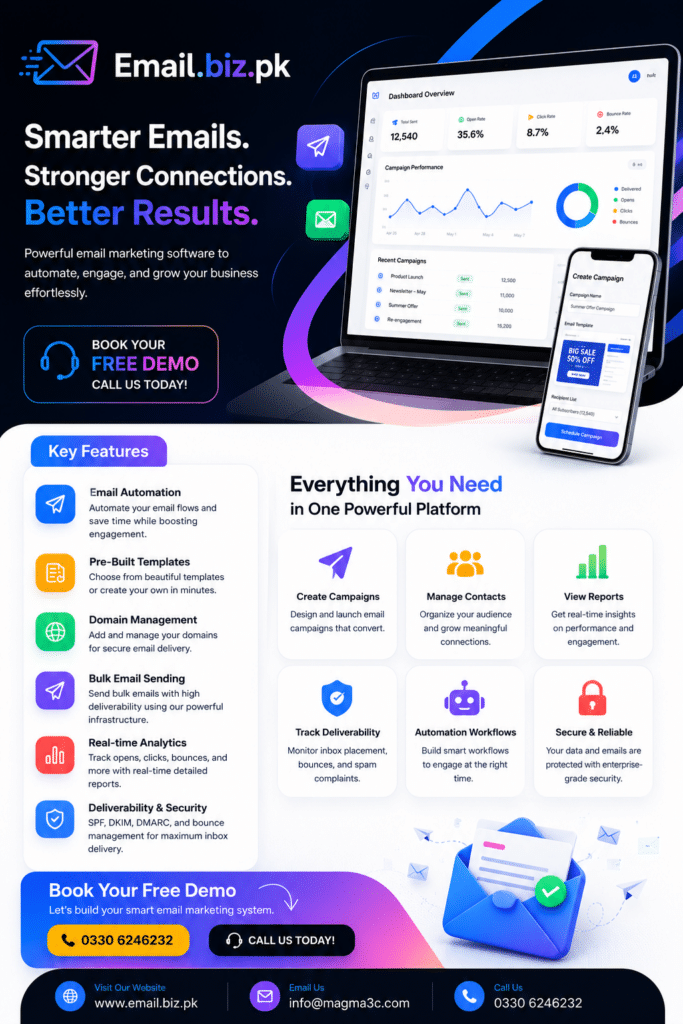
Its published features include multi-provider SMTP relay, sending-account management, domain authentication checks, CSV validation, campaign templates, mail merge, AI-assisted subject lines, bounce management and campaign analytics. Email.biz.pk+1
Some of the notable capabilities described on its website include:
Multi-Provider SMTP Relay
Email.biz.pk describes an SMTP relay setup that can connect multiple sending accounts and distribute campaign processing across configured accounts.
Businesses should evaluate this against each email provider’s acceptable-use policies and sending limits. Distribution must not be used to bypass spam controls, provider restrictions or sender reputation safeguards.
SPF, DKIM and DMARC Checks
Email authentication helps receiving mail servers verify that messages are authorized by the sending domain.
Email.biz.pk documents domain checks for SPF, DKIM and DMARC, helping users identify configuration issues before launching campaigns. Email.biz.pk
Campaign Builder and CSV Validation
Its published features include a visual campaign builder, CSV contact import, recipient validation and mail merge personalization. These tools can help marketers prepare campaigns and reduce common list-management errors. Email.biz.pk
AI-Assisted Subject Lines
AI subject-line suggestions and spam-trigger word scanning can support campaign preparation. Marketers should still review every subject line and message to ensure it is truthful and relevant.
Bounce Management and Unsubscribe Controls
Hard bounces, soft bounces and unsubscribe requests need to be handled carefully. Email.biz.pk describes bounce management, suppression lists and one-click unsubscribe support among its platform features. Email.biz.pk
Real-Time Campaign Analytics
Its published feature set includes open and click tracking, campaign reports and geographic reporting. These metrics can help businesses assess engagement and improve future campaigns. Email.biz.pk
Explore the Email.biz.pk features page for its technical details and the pricing page for its current plans.
Best Email Marketing Software for Different Business Needs
There is no single platform that is ideal for every company. The right solution depends on audience size, marketing goals, technical requirements and available resources.
| Platform | Common use case |
|---|---|
| Mailchimp | Small-business campaigns and newsletters |
| Brevo | Email and multi-channel communication |
| HubSpot | CRM-driven marketing and automation |
| ActiveCampaign | Advanced automated customer journeys |
| Klaviyo | Ecommerce-focused email marketing |
| Constant Contact | Small-business email campaigns |
| Email.biz.pk | SMTP infrastructure and bulk email delivery workflows |
This is a selection of platforms to research, not a universal ranking. Features, availability and pricing can change, so check each provider’s current documentation before choosing.
Email Marketing Software Pricing: What Should You Consider?
Email marketing software pricing varies according to the platform and the resources included in a subscription.
Some providers charge according to the number of contacts, others according to monthly sending volume, users, domains, connected mailboxes or advanced features.
Common pricing factors include:
- Number of subscribers
- Monthly email sending allowance
- Number of active campaigns
- Sending domains and mailboxes
- Marketing automation features
- SMTP or API access
- Advanced analytics
- Dedicated infrastructure
- Customer support level
Email.biz.pk currently publishes monthly plans starting at $20, with additional plans listed at $40, $65 and $99. Its pricing model is based on sending domains, connected mailboxes and campaign capacity rather than a conventional per-email charge. Verify current limits and terms directly before subscribing. Email.biz.pk
When comparing email marketing software prices in Pakistan, also consider currency conversion, payment methods, applicable taxes and the cost of maintaining your own sending domains and mailboxes.
Email Marketing Best Practices for Better Results
Even the best email marketing platform cannot replace a good strategy. Campaign quality, audience relevance and responsible sending practices are essential.
Build a Permission-Based Email List
Collect subscriber information through legitimate forms, registrations and customer interactions. Clearly explain what subscribers will receive and provide a simple unsubscribe option.
Authenticate Your Sending Domain
Configure SPF, DKIM and DMARC correctly. These records help establish the legitimacy of your sending domain and are important for modern email deliverability.
Write Relevant Subject Lines
Use clear, accurate subject lines that reflect the content of your message. Avoid misleading promises or deceptive urgency.
Segment Your Audience
Group subscribers according to their interests and relationship with your business. Send relevant content instead of treating every contact as the same audience.
Optimize Emails for Mobile
Use responsive layouts, readable font sizes, concise copy and clear calls to action. Test messages on different screen sizes before launching.
Monitor Bounces and Complaints
Remove invalid addresses, respect unsubscribe requests and monitor spam complaints. Continuing to send to inactive or invalid contacts can harm sender reputation.
Test Before Sending
Send test emails to check formatting, links, images, personalization fields and rendering. A/B testing can also help compare different subject lines and content variations.
Track Conversions, Not Just Opens
Measure the actions that matter to your business, such as product purchases, registrations, demo requests, downloads or qualified leads.
How Email Marketing Supports SEO and Digital Marketing
Email marketing and search engine optimization are different channels, but they can work together as part of a broader digital marketing strategy.
For example, a business can publish an informative article on its website and share it with subscribers through a newsletter.
The journey may look like this:
SEO Article → Email Newsletter → Website Visit → Product or Service Page → Conversion
Email campaigns can help existing subscribers discover new content, product updates and useful resources.
Businesses can also use email to distribute published articles, promote industry announcements and invite readers to webinars or events.
For companies looking to expand their online publishing and content outreach, GuestPost.com.pk can be explored as an additional resource for guest posting and content publishing opportunities.
How to Choose the Right Email Marketing Software for Your Business
Before purchasing a subscription, prepare a list of requirements.
- Define your goal: Are you sending newsletters, promotions, transactional messages or lead-nurturing sequences?
- Estimate your audience: Calculate your current subscriber count and expected growth.
- Estimate sending volume: Work out how many campaigns and emails you plan to send each month.
- Check automation: Identify the workflows you need now and may need later.
- Review deliverability: Check authentication, bounce management, unsubscribe handling and sending policies.
- Compare integrations: Confirm support for your website, CRM, ecommerce platform and other tools.
- Understand pricing: Compare the total cost as your audience and sending requirements grow.
- Test the platform: Use a trial or demo to evaluate campaign creation, reporting and ease of use.
The best platform is the one that supports your real marketing workflow while maintaining good sending practices and transparent costs.
Why Choose MAGMA3C for Email Marketing and Business Automation?
Email marketing works best when it is connected to a wider business strategy. Companies may need campaign workflows, custom software integrations, customer databases, website forms and reporting systems to support their marketing operations.
MAGMA3C provides software development and digital solutions that can help businesses plan and implement technology-driven workflows.
Businesses can discuss requirements such as:
- Email campaign workflow development
- Custom email marketing integrations
- Website and CRM connectivity
- Contact and lead management
- API and SMTP integration
- Marketing automation workflows
- Campaign reporting dashboards
- Custom business software solutions
Visit MAGMA3C to explore its software development and business technology services.
Book a Free Consultation with MAGMA3C
Want to improve your email marketing process or connect your existing marketing tools with your website and business applications?
MAGMA3C can help you discuss your requirements and explore a suitable technical solution, whether you need campaign workflow integration, customer management, automation or custom software development.
Contact MAGMA3C to discuss your project and book a free consultation.
- Website: magma3c.com
- Email: [email protected]
- WhatsApp / Phone: +92 330 624 6232
Frequently Asked Questions About Email Marketing Software
1. What is Email Marketing Software?
Email Marketing Software is a platform that helps businesses create, send, automate and analyze email campaigns. It may include contact management, campaign templates, segmentation, automation and reporting.
2. Which is the best Email Marketing Software?
The best software depends on your requirements. Mailchimp and Brevo are options for general campaigns, HubSpot supports CRM-driven marketing, Klaviyo focuses on ecommerce and Email.biz.pk provides email delivery infrastructure and campaign-related features.
3. Is email marketing software suitable for small businesses?
Yes. Small businesses can use email marketing software to send newsletters, promote services, welcome new subscribers and maintain customer relationships without manually managing every email.
4. What is the difference between email marketing software and bulk email software?
Email marketing software commonly includes campaign design, contact management, automation and analytics. Bulk email software emphasizes sending campaigns to larger audiences. Some platforms provide both capabilities.
5. What is SMTP in email marketing?
SMTP stands for Simple Mail Transfer Protocol. It is a standard protocol used to transmit outgoing emails. Email marketing platforms may provide SMTP services or allow integration with an external SMTP provider.
6. How can I improve email deliverability?
Use permission-based subscriber lists, authenticate your domain with SPF, DKIM and DMARC, remove invalid addresses, monitor complaints, respect unsubscribe requests and follow your provider’s sending policies.
7. Can email marketing software automate campaigns?
Yes. Many platforms support automated welcome emails, follow-ups, event reminders, purchase-related messages and other workflows triggered by customer actions or predefined schedules.
8. How much does email marketing software cost in Pakistan?
Pricing depends on the provider, subscriber count, sending volume, automation features and technical requirements. Some services charge by contacts, while others use sending volume, domains or mailbox capacity. Always check current plans before subscribing.
9. Can I integrate email marketing software with my website?
Yes. Many platforms support website forms, APIs, plugins, webhooks and ecommerce integrations to connect subscriber collection and customer activity with email workflows.
10. Why are SPF, DKIM and DMARC important?
These email authentication standards help receiving mail servers verify that messages are authorized by the sending domain. Correct configuration supports domain protection and reliable email delivery.
Key Takeaways
- Email Marketing Software helps businesses create, manage, automate and measure email campaigns.
- Contact management and segmentation make campaigns more relevant.
- Automation saves time by handling repeatable communication workflows.
- SMTP, SPF, DKIM and DMARC are important parts of email delivery infrastructure.
- Bounce management, suppression lists and unsubscribe controls support responsible sending.
- Email.biz.pk offers SMTP-focused infrastructure, campaign tools, authentication checks and analytics.
- The right software depends on audience size, sending volume, integrations and budget.
- MAGMA3C can help businesses explore custom software and marketing workflow integrations.
Contact Us – MAGMA3C
Ready to improve your business technology and marketing workflows? Connect with MAGMA3C to discuss your requirements, explore custom software solutions and plan your next project.
Let’s build smarter digital solutions for your business.
- Website: https://email.biz.pk
- Email: [email protected]
- WhatsApp / Phone: +92 330 624 6232