
How to Avoid Surprise Roaming Charges on Your Next International Trip
Traveling abroad is exciting, but coming home to a huge phone bill is not. Many travelers get unexpected roaming charges because they do not check their mobile plan before leaving or forget that their phone can use data in the background.
The good news is that avoiding roaming charges is quite simple. With a little planning, you can stay connected, use maps, message your family, and share photos without worrying about an expensive bill.
Here are some simple ways to avoid surprise roaming charges on your next international trip.
What Are Roaming Charges?
Roaming charges are fees your mobile carrier may charge when your phone connects to a network in another country.
You may be charged for:
- Mobile data
- Phone calls
- Text messages
- Receiving calls
- Checking voicemail
- Using apps
- Downloading photos and videos
- Background app updates
Your normal phone plan may work at home but have different rules when you travel internationally.
Before your trip, always check what your carrier includes in its international plans.
1. Check Your Phone Plan Before You Travel
The first thing you should do is check your mobile provider’s international roaming policy.
Find out:
- Does your plan include international data?
- Which countries are covered?
- How much does international data cost?
- Are calls included?
- Are text messages included?
- Does your carrier offer a daily travel pass?
- Will roaming turn on automatically?
Don’t assume that an unlimited plan at home means unlimited data overseas.
If you are unsure, contact your carrier before your trip and ask exactly how much you will pay for using your phone in your destination country.
2. Turn Off Data Roaming If You Don’t Need It
If you don’t plan to use your normal mobile plan abroad, turn off data roaming before you leave.
You can usually find this option in your phone’s mobile or cellular settings.
When data roaming is turned off, your phone won’t normally use mobile data through a foreign network.
However, remember that calls and text messages can have separate charges. If you want to avoid all cellular charges, you can put your phone in airplane mode and use Wi-Fi instead.
3. Use a Travel eSIM
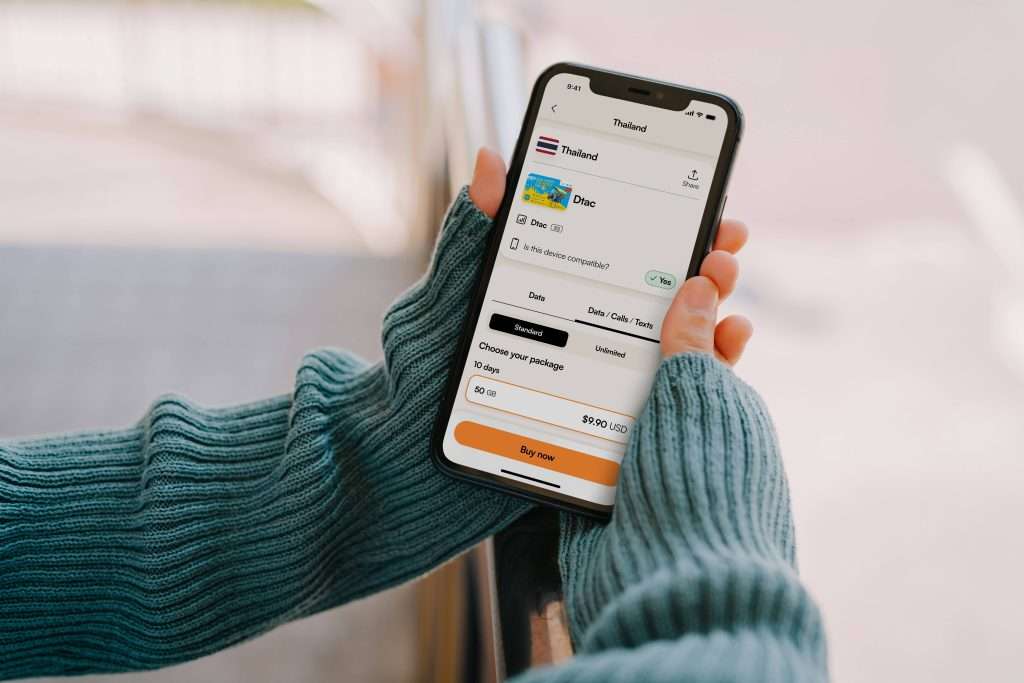
A travel eSIM is one of the easiest ways to stay connected while traveling.
An eSIM is a digital SIM that you can install on a compatible phone. You don’t need to remove your normal SIM card.
You can use the travel eSIM for mobile data while keeping your regular SIM available if you still need your normal phone number.
For example, if you’re traveling to Bali, you can look at an esim bali plan before your trip.
If Peru is on your travel list, you can also compare an esim peru with your normal carrier’s international roaming rates.
Before buying an eSIM, check:
- How much data you get
- How long the plan lasts
- Which networks it uses
- Whether it supports hotspot use
- Whether your phone supports eSIM
- Whether your phone is unlocked
A travel eSIM can be a good choice when you want to know your data cost before you travel.
4. Install Your eSIM Before Leaving Home
If you decide to use an eSIM, don’t wait until you arrive at your destination.
Install it before your trip while you still have a reliable Wi-Fi connection.
Before leaving:
- Make sure your phone supports eSIM.
- Make sure your phone is unlocked.
- Buy your travel eSIM.
- Install the eSIM.
- Give it a clear name, such as “Travel.”
- Select it for mobile data when you arrive.
- Turn off automatic mobile-data switching.
This makes it much easier to get online when you land.
5. Check Your Dual-SIM Settings
Many modern phones allow you to use two SIMs at the same time.
For example:
Your normal SIM = your regular phone number
Travel eSIM = your travel data
This setup can be very useful, but you need to make sure your phone is using the correct SIM for mobile data.
Go into your cellular settings and select the travel eSIM for mobile data.
Also check whether your phone has a setting called “Allow Mobile Data Switching.”
If it is turned on, your phone may switch to your normal SIM in some situations and accidentally use your carrier’s roaming service.
6. Download Maps Before Your Trip
You don’t always need mobile data to use your phone.
Before leaving home, download offline maps for the places you plan to visit.
You can also download:
- Hotel information
- Boarding passes
- Travel documents
- Translation packs
- Music
- Podcasts
- Important addresses
This can save mobile data and is especially useful if you have poor internet coverage.
7. Stop Automatic Photo and Video Backups
Photos and videos can use a lot of data.
If your phone automatically uploads every photo and video to the cloud, you could quickly use your mobile data without realizing it.
Before your trip, check services such as:
- iCloud
- Google Photos
- OneDrive
- Dropbox
Set large backups to happen only when you’re connected to Wi-Fi.
You should also check automatic app updates and large downloads.
8. Be Careful With Calls and Text Messages
Roaming charges aren’t limited to internet data.
Your carrier may also charge you for calls and text messages while you’re abroad.
Before traveling, check the cost of:
- Making calls
- Receiving calls
- Sending texts
- Receiving texts
- Checking voicemail
When possible, use messaging and calling apps over Wi-Fi or your travel data plan.
Apps such as WhatsApp, FaceTime, and Signal can be useful for staying in touch while traveling.
9. Be Careful on Cruise Ships and Airplanes
Cruise ships and airplanes can be another source of unexpected charges.
Your phone may connect to a special onboard network, and those networks can have different prices from normal international roaming.
If you don’t need cellular service while flying or cruising, keep your phone in airplane mode.
You can then turn Wi-Fi on separately if you want to use an available Wi-Fi connection.
10. Watch Your Phone Near International Borders
Your phone may connect to a network from another country when you are close to a border.
For example, you could be traveling by car or train and suddenly connect to a network from a neighboring country.
If that country isn’t included in your phone plan, you could receive roaming charges.
If you’re traveling near an international border, keeping data roaming turned off is a simple way to reduce the risk.
11. Compare eSIM and Roaming Costs
There isn’t one option that works for every traveler.
Before your trip, compare your carrier’s roaming price with a travel eSIM or local SIM.
For example, travelers going to Italy can check esim italy information and compare it with their carrier’s international rates.
Travelers visiting Spain can also compare esim spain options before leaving.
If you’re traveling to Pakistan, checking esim pakistan information can help you understand your connectivity choices.
The cheapest option depends on how long you’re staying and how much data you need.
12. Know When an eSIM Makes Sense
A travel eSIM can be useful if you:
- Travel internationally often
- Need mobile data every day
- Want predictable costs
- Don’t want to change your physical SIM
- Need maps while exploring
- Want internet as soon as you land
For a short trip, your existing carrier’s international package may be easier.
For a longer trip, a local SIM or travel eSIM may provide better value.
The important thing is to compare the options before your trip.
Simple Roaming Checklist
Before you leave, take a few minutes to check these things:
Before your flight
- Check your carrier’s international rates.
- Confirm your destination is covered.
- Decide whether you will use roaming, an eSIM, a local SIM, or Wi-Fi.
- Check that your phone is unlocked.
- Confirm that your phone supports eSIM.
- Install your travel eSIM if you are using one.
- Select the correct SIM for mobile data.
- Turn off automatic mobile-data switching.
- Turn off data roaming on your normal SIM if needed.
- Download offline maps.
- Download important travel documents.
- Turn off unnecessary automatic downloads.
- Check cloud backup settings.
After you land
Before you start browsing, check your phone settings.
Make sure your travel eSIM is selected for mobile data if you’re using one.
Then open a simple webpage or map to make sure your connection is working.
This small check can prevent you from accidentally using your home carrier’s roaming service.
What If You Accidentally Get a Roaming Charge?
Don’t panic.
If you notice that your phone has started using roaming:
- Turn off data roaming.
- Turn off mobile data on your normal SIM.
- Switch to your travel eSIM or Wi-Fi.
- Check your carrier’s app for your current usage.
- Contact your carrier if you believe the charge is incorrect.
- Ask if an international package can be added.
The sooner you stop the roaming connection, the easier it is to prevent additional charges.
Final Thoughts
Avoiding surprise roaming charges is mostly about preparation.
Before your trip, check your carrier’s international rates and decide how you want to stay connected.
If you choose a travel eSIM, install it before leaving and make sure your phone is using it for mobile data.
Also remember to turn off unnecessary background data, download offline maps, and be careful with calls, cloud backups, cruise networks, and international borders.
A few minutes of preparation before your flight can save you from a very unpleasant phone bill when you return home.
FAQs
How can I avoid roaming charges when traveling internationally?
Check your carrier’s international rates before traveling, disable data roaming if you don’t need it, restrict background data, and consider a travel eSIM or international package for predictable connectivity costs.
Should I turn off data roaming when traveling?
If you don’t have an international data package and don’t want to pay roaming fees, turning off data roaming is a useful precaution. You should also check your settings for calls, SMS, and automatic mobile-data switching.
Is a travel eSIM cheaper than roaming?
It can be, particularly for travelers who need a predictable amount of data. However, prices and coverage vary by destination, so compare the eSIM’s total cost and allowance with your carrier’s international options.
Can I use an eSIM and keep my regular SIM?
Yes, many compatible phones support dual-SIM functionality. You can keep your regular SIM active while using the travel eSIM for mobile data, provided your device and plans support this configuration.
Can I get roaming charges without actively using my phone?
Yes. Depending on your carrier and settings, background data, automatic synchronization, cloud backups, and other services may use mobile data. That’s why checking your settings before departure is important.
Suggested Images With Alt Text
Traveler checking mobile settings before an international flight
Traveler checking international roaming settings before traveling abroad
Smartphone displaying dual-SIM settings
Smartphone showing home SIM and travel eSIM settings
Traveler using a phone with an international destination in the background
Traveler using mobile data while exploring a foreign country
International travel preparation checklist
International traveler preparing phone settings before a trip