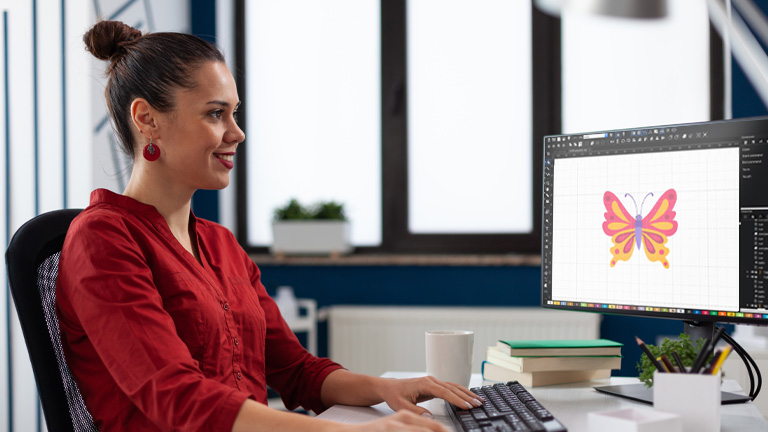

Have you ever looked at a beautifully embroidered hat or a intricately stitched logo and wondered how that design made its way from an idea onto the fabric? The secret lies in a crucial, behind-the-scenes process that acts as the translator between your creative vision and your embroidery machine. This process, which transforms any artwork into a language of stitches, is the art and science of digitizing embroidery.
What Exactly is Digitizing? It’s More Than a Click
Many people have the misconception that you can simply scan an image and an embroidery machine will understand it. If only it were that easy. In reality, digitizing is a specialized form of graphic design. A digitizer, either using specialized software or working manually, takes a piece of artwork and meticulously plans out how it will be stitched. They decide the path the needle will take, the type of stitches it will use, the order of each color, and how to compensate for the pull of the thread on the fabric. Think of it as creating a detailed, step-by-step road map for your embroidery machine to follow. Without this map, the machine would be lost.
The Digitizer’s Toolkit: It Starts with the Right Artwork
A successful digitizing project lives or dies by the quality of the source artwork. The best file to start with is a vector graphic, like an SVG or AI file. Vectors are made of mathematical paths and points, which means they can be scaled up or down infinitely without losing quality. Their clean lines and solid color fields make them a digitizer’s dream. If you only have a raster image—like a JPG or PNG made of pixels—that’s okay, but it needs to be high-resolution and as clean as possible. A blurry, low-resolution logo with a complicated background will be a challenge, whereas a simple, clear image with defined edges will give you a fantastic result.
Mapping the Stitch Path: The Blueprint Takes Shape
This is where the real magic happens. The digitizer opens the artwork in their software and begins the process of creating stitch objects. They aren’t just drawing; they are assigning embroidery instructions to every element of the design.
First, they define the outlines. Using a running stitch or a satin stitch, they trace the key borders of the design. A running stitch is perfect for fine details and outlining, while a satin stitch, with its zigzag motion, creates a glossy, textured column ideal for text and borders.
Next, they tackle the fill areas. For larger solid areas, the digitizer uses a fill stitch. But this isn’t just a solid block of color. They must decide the angle of the stitches, the density (how close together the stitches are), and the direction of the stitch flow. The direction is critical, as it can create visual interest, imply texture, and ensure the fabric doesn’t become too stiff or puckered.
Throughout this process, the digitizer is constantly thinking one step ahead of the machine. They establish a logical sewing order, ensuring that some elements are stitched before others to create a clean, layered effect. You wouldn’t stitch a background fill on top of a foreground letter, for instance. They also add tools like underlay stitches, which are a foundational layer of stitching that stabilizes the fabric and provides a base for the top stitches to sit on, preventing gaps and fabric show-through.
The Unsung Hero: Understanding Underlay Stitches
Underlay is the secret ingredient to professional-looking embroidery. It’s the stitching you often don’t even see, but you would definitely notice if it was missing. Underlay has several important jobs. It stabilizes the fabric, anchoring it to the stabilizer hooped underneath to prevent shifting. It compacts the nap of fabrics like fleece or towels, creating a smooth surface for the top stitches. It also provides a foundation that helps prevent the top stitches from sinking into the fabric, making your colors pop and your design look crisp.
Choosing Your Threads and Testing Your Design
With the stitch map complete, the digitizer finalizes the color palette. While they may select thread colors within the software, this is often a reference for the machine operator, who will physically load the corresponding thread spools.
Then comes the most critical step: the test stitch. No digitizer, no matter how experienced, gets it perfect on the first try. They output the file in the correct format for their specific machine—be it .PES, .DST, or .EXP—and stitch it out on a sample of the actual fabric that will be used for the final product. They watch carefully for any issues: Does the fabric pucker? Are there gaps between the stitches? Does the design look balanced? This test run provides the feedback needed to go back into the software and make fine-tuning adjustments to stitch density, pull compensation, or sewing sequence.
Conclusion: Your Gateway to Flawless Embroidery
Digitizing is the invisible bridge that connects your brilliant design to a tangible, stitched reality. It’s a technical craft that requires an understanding of software, thread, fabric, and machine mechanics. By appreciating the steps involved—from preparing the right artwork and mapping stitch paths to the essential role of underlay and rigorous testing—you gain a deeper understanding of what it takes to produce clean, durable, and beautiful embroidery. Whether you’re looking to outsource this task or embark on learning to digitize yourself, knowing this complete process empowers you to turn any sketch into a perfect stitch.